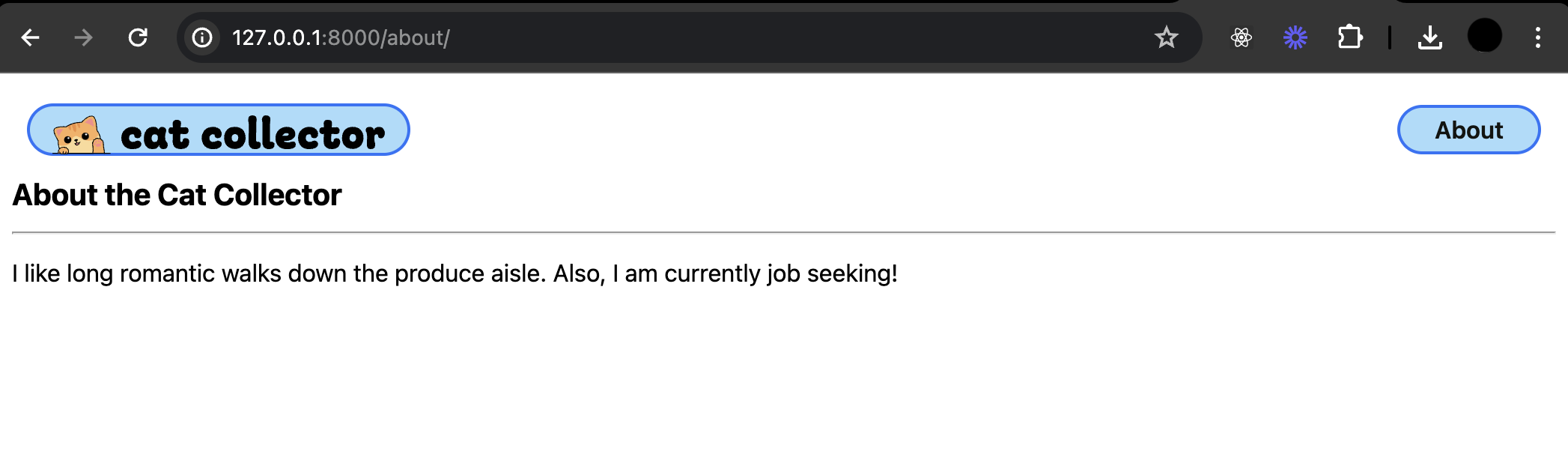
Cat Collector Including Static Files in Templates
Learning objective: By the end of this lesson, students will be able to link static files like CSS, JavaScript, and images in Django templates using the {% static %} template tag.
Static Files in Templates
As you know, web apps usually have static files such as .css, .js, image files, etc. If we want our Cat Collector app to look better, we’re going to have to be able to define some custom CSS. Django projects are pre-configured with a 'django.contrib.staticfiles' app installed for the purpose of serving static files.
At the bottom of settings.py, there is a STATIC_URL = 'static/' variable that tells Django to look for static files like CSS in a directory called “static”.
Let’s create this directory in our main_app:
mkdir main_app/static
Next, let’s create a directory within static dedicated to CSS:
mkdir main_app/static/css
Now let’s create a base.css:
touch main_app/static/css/base.css
For now, just to make sure that base.css is properly loaded, let’s add an eye catching bit of css:
/* static/css/base.css  */

body {
  background-color: red;
}
Now we need to update base.html by adding the load template tag at the top:
{% load static %}

<!DOCTYPE html>
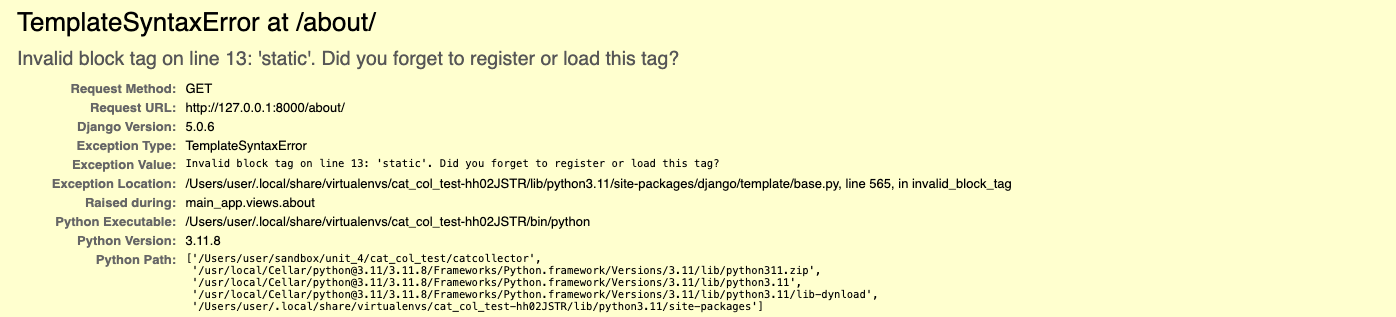
If you forget to include this line, Django will present you with errors like this in the browser:
Finally, add a link to your style sheet in base.html. Place the <link> before the {% block head %} line:
<link rel="stylesheet" href="{% static 'css/base.css' %}" />
Because we just added a static directory Django isn’t tracking it so we need to restart our server so it starts tracking it. Restart the server now.
Navigate to http://127.0.0.1:8000/about/ and confirm that your background is red!
Once you have confirmed your css loads properly, you can remove the background color.
⚠️ Note: Anytime you add or alter a file to your static directory the additions or changes may not immediately appear on a page refesh. In this case, you may need do a hard refresh of your page with
Command+Shift+Ron macOS orCtrl+Shift+Ron Windows or Linux.
Image files
We’re going to be using some adorable cat pictures in this app. You can get all of the images we’re going to use from this repo. The following steps will guide you through adding these images to your project by cloning them to your device.
All of these images need to go in a new directory inside static called images.
To add these to your project, first make sure you are in your project’s root directory.
🚨 Check your terminal and ensure you are in your project’s root directory before running the following command!
git clone https://git.generalassemb.ly/modular-curriculum-all-courses/cat-collector-assets.git ./main_app/static/images
rm -rf ./main_app/static/images/.git
Your end file structure must look like this:
main_app
- migrations
- static
  - css
  - images
    - cat-cone.svg
    - cat-in-box.svg
    - cat-onigiri.svg
    - cool-cat.svg
    - fish.svg
    - happy-cat.svg
    - header-logo.svg
    - kitty-kabob.svg
    - logotype.svg
    - mouse.svg
    - nerd-cat.svg
    - post.svg
    - sk8r-boi-cat.svg
    - splash.svg
    - string.svg
    - teacup-cat.svg
- templates
  - about.html
  - base.html
With our image files in place we can add a valid href to the favicon in the head of our base.html:
<link
  rel="shortcut icon"
  type="image/png"
  href="{% static 'images/splash.svg' %}"
/>
And also for the header logo:
<img src="{% static 'images/header-logo.svg' %}" alt="The Cat Collector Logo" />
The
staticDTL template tag ensures that the correct URL is assigned to thehref. You can read more about managing static files in the Django docs.
Add base styles
We’re going to start adding a lot of CSS to our style files. It might look like there’s too much at first, since we’re including styles for parts of the app we haven’t built yet. Don’t worry, though—we’ll get to all of it as we build out more features. This way, our app will look great and work well on both computers and mobile devices.
Add the following to base.css:
/* static/css/base.css  */

html {
  box-sizing: border-box;
}

/* The Universal Selector */
*, /* All elements*/
*::before, /* All ::before pseudo-elements */
*::after {
  /* All ::after pseudo-elements */
  /* height & width will now include border & padding by default
     but can be over-ridden as needed */
  box-sizing: inherit;
}

/* resets font size to be 62.5% of the user preference -
     in most browser configurations this will be 10px */
:root {
  font-size: 62.5%;
}

body {
  margin: 0;
  display: flex;
  flex-direction: column;
  align-items: center;
  font-family: -apple-system, BlinkMacSystemFont, 'Segoe UI', 'Roboto',
    'Oxygen', 'Ubuntu', 'Cantarell', 'Fira Sans', 'Droid Sans',
    'Helvetica Neue', sans-serif;
  min-height: 100vh;
  --nav-bg: rgba(104, 197, 248, 0.7);
  --nav-bg-ff: rgba(104, 197, 248, 0.9);
  --borders: rgb(36, 116, 248) solid 2px;
  --text-color: rgb(17, 20, 17);
  --link-hover-color: rgb(16, 56, 158);
  --button-bg: rgb(245, 245, 245);
  --button-bg-hover: rgb(226, 226, 226);
  --submit: rgb(26, 128, 0);
  --warn: rgb(255, 102, 0);
  --danger: rgb(220, 20, 30);
  --secondary: rgb(57, 57, 57);
  --card-box-shadow: 5px 5px 6px -1px #aaa;
  --font-xtreme: 4.2rem;
  --font-xxl: 3.6rem;
  --font-xl: 2.4rem;
  --font-l: 1.8rem;
  --font-reg: 1.6rem;
  --card-border-radius: 6px;
}

header {
  width: 100%;
  background: var(--nav-bg-ff); /* rgba(104, 197, 248, .9) */
  border-bottom: var(--borders);
}

nav {
  margin: 10px;
}

ul {
  margin: 0;
  list-style: none;
  padding: 0;
}

main {
  width: 100%;
  padding: 0 10px;
}

h2 {
  font-size: var(--font-xl);
}

nav a {
  text-decoration: none;
  color: var(--text-color);
  font-weight: 600;
  font-size: 16px;
}

nav a:hover {
  color: var(--link-hover-color);
}

nav ul {
  display: flex;
  align-items: center;
  justify-content: center;
  flex-wrap: wrap;
}

nav li {
  padding: 5px 8px;
}

.header-logo-container {
  margin: auto;
  padding: 10px 20px 0;
  max-width: 500px;
}

.page-header {
  display: flex;
  align-items: center;
  margin: 20px;
}

.btn {
  font-size: var(--font-l);
  padding: 8px 16px;
  border-radius: 6px;
  border-width: 2px;
  border-style: solid;
  text-decoration: none;
  background-color: var(--button-bg);
  font-weight: 600;
  cursor: pointer;
  font-family: inherit;
  margin-right: 10px;
}

.btn:hover {
  background-color: var(--button-bg-hover);
}

.submit {
  color: var(--submit);
  border-color: var(--submit);
}

.secondary {
  color: var(--secondary);
  border-color: var(--secondary);
}

.warn {
  color: var(--warn);
  border-color: var(--warn);
}

.danger {
  color: var(--danger);
  border-color: var(--danger);
}

.page-header h1 {
  font-size: var(--font-xxl);
  margin: 0;
}

.page-header img {
  height: 40px;
  margin-left: 15px;
}

.page-header img:first-of-type {
  margin-left: 20px;
}

.page-content {
  font-size: var(--font-reg);
}

@media only screen and (min-width: 768px) {
  header {
    position: sticky;
    display: flex;
    flex-direction: row;
    top: 0;
    align-items: center;
  }

  main {
    max-width: 1300px;
    min-height: calc(100vh - 53px);
  }

  nav,
  .header-logo-container {
    margin: 10px 0;
    padding: 0 15px;
  }

  /* visual fix to help align logo */
  .header-logo-container {
    padding-top: 3px;
  }

  nav {
    margin-left: auto;
    display: flex;
    justify-content: center;
  }

  nav ul {
    flex-wrap: nowrap;
  }

  .header-logo-container {
    width: 213px;
  }

  .page-header h1 {
    font-size: var(--font-xtreme);
  }

  .page-header img {
    height: 50px;
    margin-left: 20px;
  }

  .page-header img:first-of-type {
    margin-left: 25px;
  }

  @supports (-webkit-backdrop-filter: none) or (backdrop-filter: none) {
    header {
      background: var(--nav-bg);
      -webkit-backdrop-filter: blur(3px);
      backdrop-filter: blur(3px);
    }
  }
}

@media only screen and (min-width: 1024px) {
  main {
    min-height: calc(100vh - 55px);
  }

  header {
    margin: 20px 20px 0 20px;
    width: calc(100vw - 40px);
    max-width: 1920px;
    top: 20px;
    background-color: transparent;
    border-bottom: none;
  }

  nav,
  .header-logo-container {
    margin: 0;
    background: var(--nav-bg-ff);
    border: var(--borders);
    border-radius: 18px;
  }

  nav {
    margin-left: auto;
  }

  .header-logo-container {
    /* visual fix to help align logo */
    padding-top: 6px;
    width: 256px;
    height: 35px;
  }

  @supports (-webkit-backdrop-filter: none) or (backdrop-filter: none) {
    header {
      -webkit-backdrop-filter: none;
      backdrop-filter: none;
    }

    nav,
    .header-logo-container {
      background: rgba(104, 197, 248, 0.6);
      -webkit-backdrop-filter: blur(3px);
      backdrop-filter: blur(3px);
    }
  }
}
Refresh the page to see your changes.
⚠️ Note: If the changes don’t appear, you may need to do a hard refresh of your page with
Command+Shift+Ron macOS orCtrl+Shift+Ron Windows or Linux.