Hoot Back-End Create Comment
Learning objective: By the end of this lesson, students will be able build a route that adds an embedded comment document to a specific hoot.
Overview
In this section, we will make a route to add a new comment to a specific hoot. This route will be a POST request to /hoots/:hootId/comments, and will return a JSON response with the new comment document. The purpose of this route is to handle data that is sent along with a form submission.
We will be following these specs when building the route:
- CRUD Action: CREATE
- Method:
POST - Path:
/hoots/:hootId/comments - Response: JSON
- Success Status Code:
201Created - Success Response Body: A new comment object
- Error Status Code:
500Internal Server Error - Error Response Body: A JSON object with an error key and a message describing the error
Define the route
Our route will listen for POST requests on /hoots/:hootId/comments:
POST /hoots/:hootId/comments
We’ll need to include the hootId as a parameter here, so that the new comment can be added to the appropriate parent document.
Add the following to controllers/hoots.js:
// controllers/hoots.js

router.post("/:hootId/comments", verifyToken, async (req, res) => {
  // add route
});
❗ A user needs to be logged in to create a comment, so be sure to include the
verifyTokenmiddleware.
Code the controller function
Let’s breakdown what we’ll accomplish inside our controller function.
-
As we did when creating hoots, we’ll first append
req.user._idtoreq.body.author. This updates the form data that will be used to create the resource, and ensures that the logged in user is marked as theauthorof acomment. -
Next we’ll call upon the
Hootmodel’sfindById()method. The retrievedhootis the parent document we wish to add a comment to. -
Because
commentsare embedded insidehoot’s, thecommentSchemahas not been compiled into a model. As a result, we cannot call upon thecreate()method to produce a new comment. Instead, we’ll use theArray.prototype.push()method, provide it withreq.body, and add the new comment data to thecommentsarray inside thehootdocument. -
To save the comment to our database, we call upon the
save()method of thehootdocument instance. -
After saving the
hootdocument, we locate thenewCommentusing its position at the end of thehoot.commentsarray, append theauthorproperty with auserobject, and issue thenewCommentas a JSON response.
Add the following to controllers/hoots.js:
// controllers/hoots.js

router.post("/:hootId/comments", verifyToken, async (req, res) => {
  try {
    req.body.author = req.user._id;
    const hoot = await Hoot.findById(req.params.hootId);
    hoot.comments.push(req.body);
    await hoot.save();

    // Find the newly created comment:
    const newComment = hoot.comments[hoot.comments.length - 1];

    newComment._doc.author = req.user;

    // Respond with the newComment:
    res.status(201).json(newComment);
  } catch (err) {
    res.status(500).json({ err: err.message });
  }
});
Test the route in Postman
Now that we have finished the route let’s test it with Postman. We’ll do this by sending a POST request to /hoots/:hootId/comments.
Create a new request called Create Comment and set the request type to POST.
❗ This request requires authentication, so ensure the Authorization tab is configured correctly.
Your Postman URL should look something like this:
http://localhost:3000/hoots/61b646f65f455c912b4f2f8d/comments
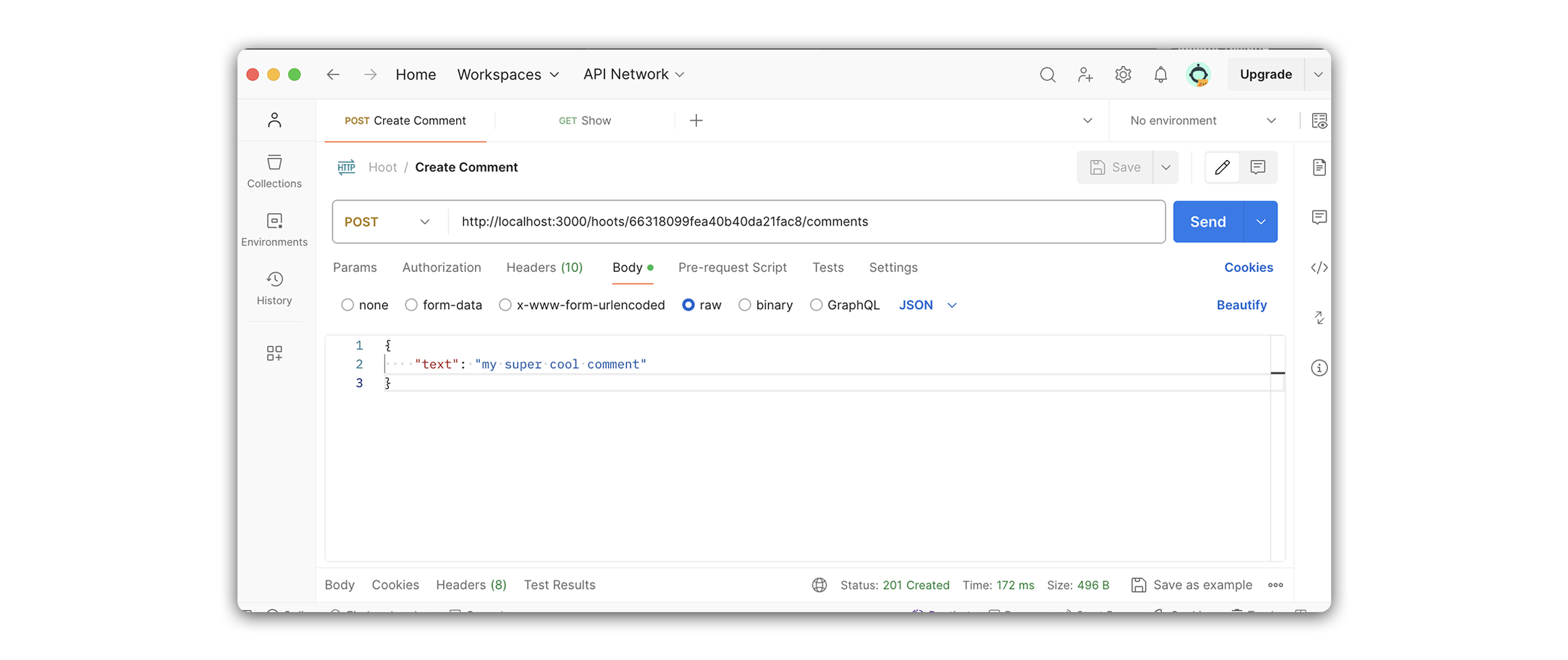
Add the following to the body in Postman. Within the Body tab, select raw, and change the Text dropdown to JSON.
{
  "text": "my super cool comment"
}
After completing the steps above, your request in Postman should look something like this:
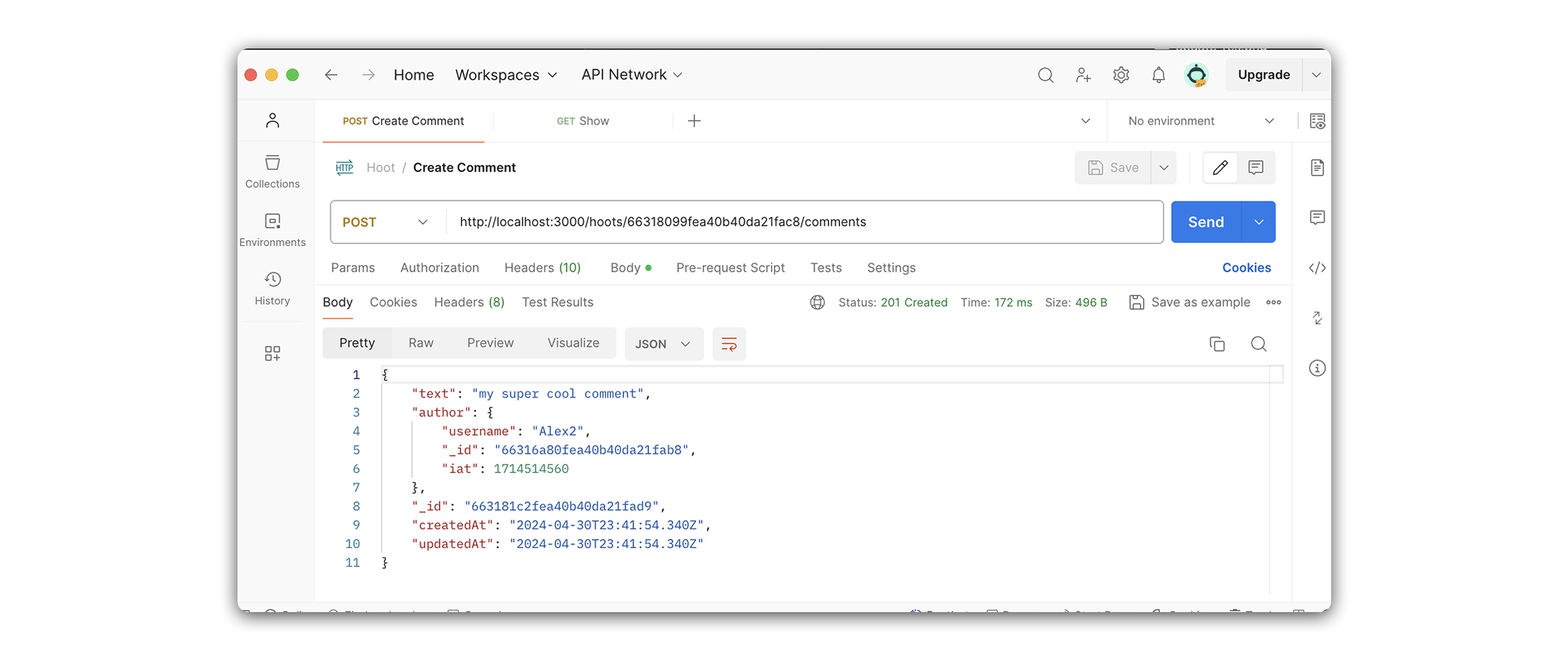
A successful response will look like the following:
Update show controller
Now that we added a route to create comments, we need to make a small change to our show controller function. In addition to populating the author of each hoot, we also want to populate the author of each comment in the comments array:
// controllers/hoots.js

router.get('/:hootId', verifyToken, async (req, res) => {
  try {
    // populate author of hoot and comments
    const hoot = await Hoot.findById(req.params.hootId).populate([
      'author',
      'comments.author',
    ]);
    res.status(200).json(hoot);
  } catch (err) {
    res.status(500).json({ err: err.message });
  }
});
Now, when the user hits this route, any comments inside of the comment array for the returned hoot will have their author property populated as well!