Hoot Back-End Index Hoots
Learning objective: By the end of this lesson, students will be able to create an index route to retrieve all hoots from the database and send this data as a JSON response to the client.
Overview
In this section, we will create a new route to find all hoots. This route will be a GET request to /hoots, and will return a JSON response with all the hoots in the database.
We will be following these specs when building the route:
- CRUD Action: READ
- Method:
GET - Path:
/hoots - Response: JSON
- Success Status Code:
200Ok - Success Response Body: An array of all the hoots in the database named hoots. The array will be empty if there are no hoots in the database.
- Error Status Code:
500Internal Server Error - Error Response Body: A JSON object with an error key and a message describing the error.
Define the route
Our route will listen for GET requests on '/hoots':
GET /hoots
Inside controllers/hoots.js, add the following:
// controllers/hoots.js

router.get("/", verifyToken, async (req, res) => {
  // new route
});
❗ A user needs to be logged in to view a list of hoots, so be sure to include the
verifyTokenmiddleware.
💡 Restricting access to the
indexandshowfunctionality will reduce the amount of conditional rendering we need to implement in our React app.
Code the controller function
Let’s breakdown what we’ll accomplish inside our controller function.
We’ll call upon the find({}) method of our Hoot model, retrieving all hoots from the database. When we call upon find({}), we’ll chain two additional methods to the end.
-
The first is the
populate()method. We’ll use this to populate theauthorproperty of each hoot with auserobject. -
The second is the
sort()method. We’ll use this to sorthootsin descending order, meaning the most recent entries will be at the at the top.
Once the new hoots are retrieved, we’ll send a JSON response containing the hoots array.
Add the following to controllers/hoots.js:
// controllers/hoots.js

router.get("/", verifyToken, async (req, res) => {
  try {
    const hoots = await Hoot.find({})
      .populate("author")
      .sort({ createdAt: "desc" });
    res.status(200).json(hoots);
  } catch (err) {
    res.status(500).json({ err: err.message });
  }
});
Test the route in Postman
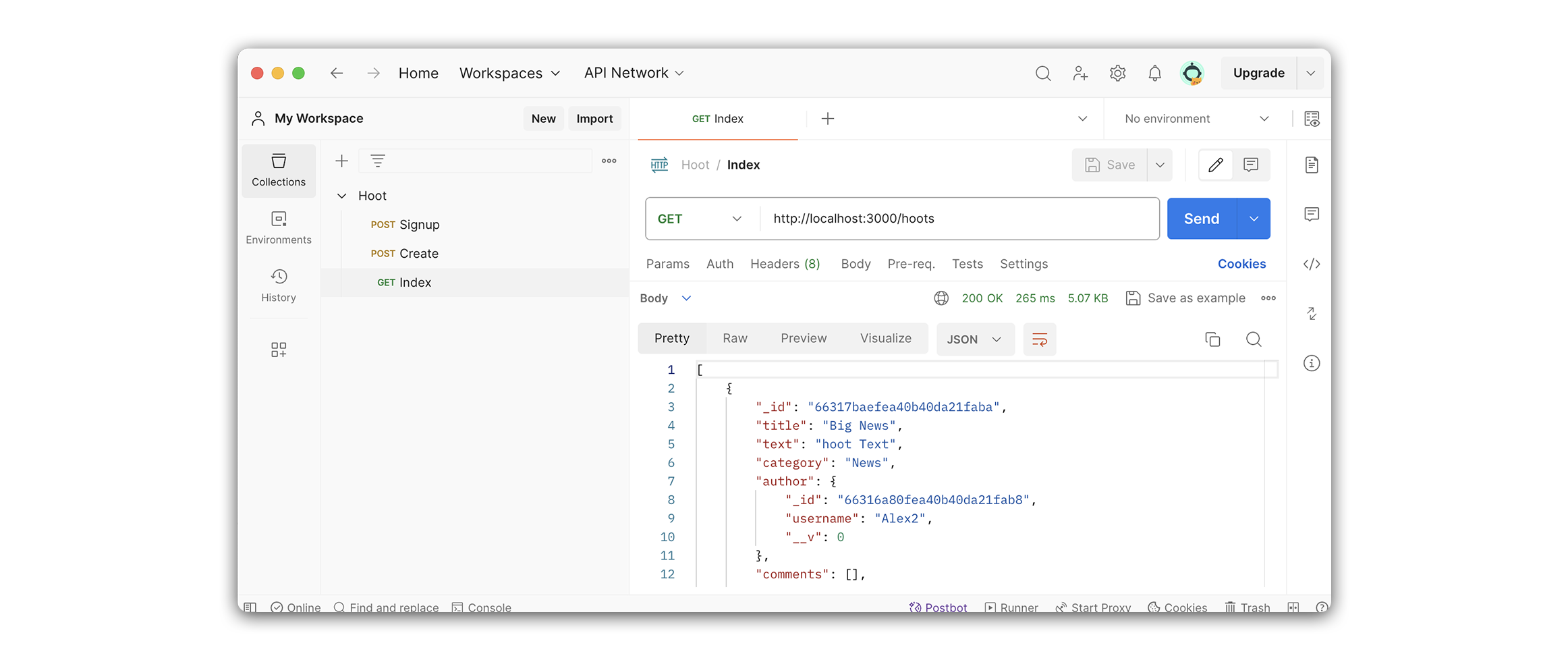
Now that we have finished the route let’s test it with Postman. We’ll do this by sending a GET request to /hoots.
Within Postman, create a new GET request. We’ll name this request Index.
Your Postman URL should look like this:
http://localhost:3000/hoots
💡 Remember to include your token.
If your request was successful, the response will include an array of hoot objects, with a populated author property inside each hoot object: