Hoot Back-End Show Hoot
Learning objective: By the end of this lesson, students will be able build a route to retrieves a single hoot from the database and sends this data as a JSON response to the client.
Overview
In this section, we will create a show route to find a single hoot. This route will be a GET request to /hoots/:hootId, returning a JSON response with a single hoot from the database.
We will be following these specs when building the route:
- CRUD Action: READ
- Method:
GET - Path:
/hoots/:hootId - Response: JSON
- Success Status Code:
200Ok - Success Response Body: A JSON object with the hoot that matches the hootId parameter.
- Error Status Code:
500Internal Server Error - Error Response Body: A JSON object with an error key and a message describing the error.
Define the route
Our route will listen for GET requests on '/hoots/:hootId':
GET /hoots/:hootId
Inside controllers/hoots.js, we’ll define a route to find a single hoot by hootId:
// controllers/hoots.js

router.get("/:hootId", verifyToken, async (req, res) => {
  // add route
});
❗ A user needs to be logged in to view hoot details, so be sure to include the
verifyTokenmiddleware.
Code the controller function
Let’s breakdown what we’ll accomplish inside our controller function.
We’ll call upon our Hoot model’s findById() method and pass in req.params.hootId. We’ll also call populate() on the end of our query to populate the author property of the hoot.
Once the new hoot is retrieved, we’ll send a JSON response with the hoot object.
Add the following to controllers/hoots.js:
// controllers/hoots.js

router.get("/:hootId", verifyToken, async (req, res) => {
  try {
    const hoot = await Hoot.findById(req.params.hootId).populate("author");
    res.status(200).json(hoot);
  } catch (err) {
    res.status(500).json({ err: err.message });
  }
});
Test the route in Postman
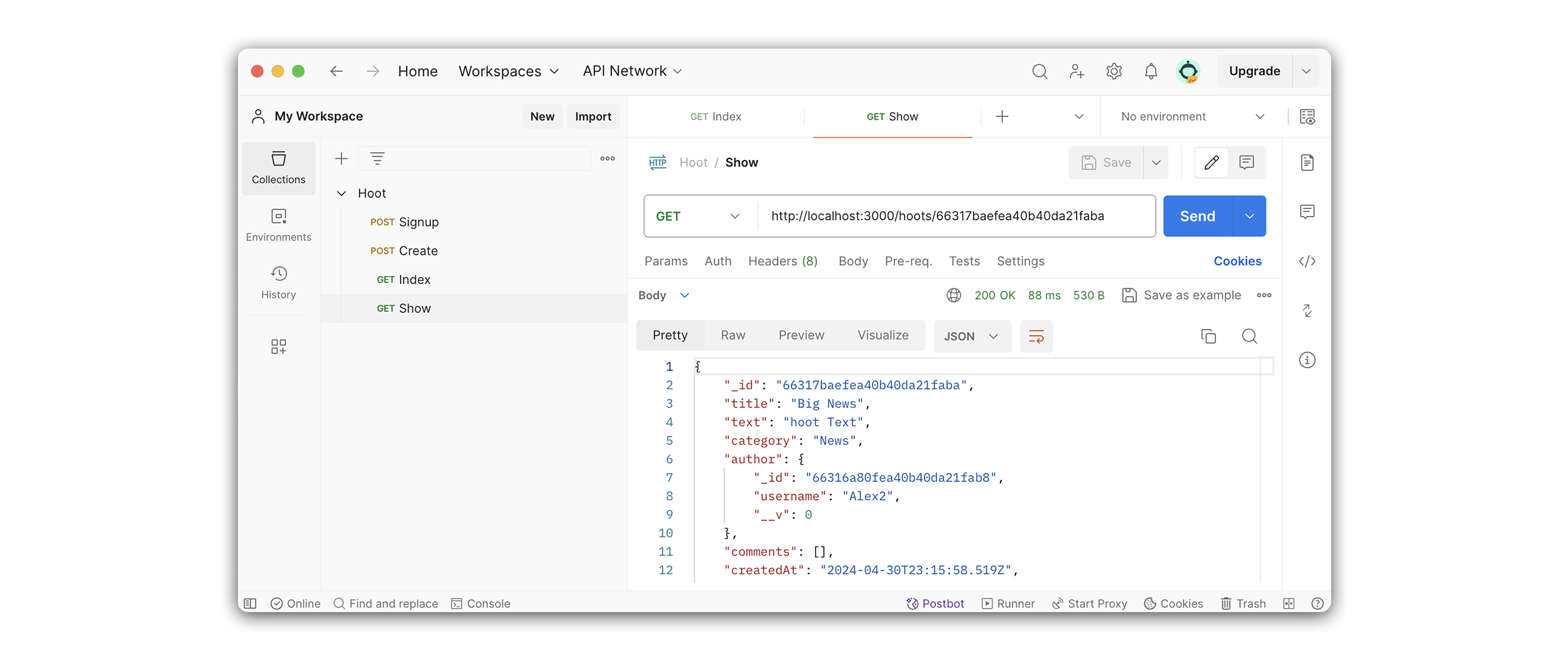
Now that we have finished the route let’s test it with Postman. We’ll do this by sending a GET request to /:hootId.
Create a new request in Postman. We will name this request Show and set its request type to GET. To test it out, we’ll need to grab the value of a hoot _id.
Open up your Index request tab in Postman, and copy a hoot’s _id. Add this value to your Postman URL for Show.
Afterwards, your Postman URL should look something like this:
http://localhost:3000/hoots/61b63d2e397b1f34f5861ebf
If the request was successful, your response will include a single hoot object like the example below: