Pets Back-End Delete Route
Learning objective: By the end of this lesson, students will be able to create a route that deletes a single pet from the database and sends a confirmation as a JSON response to the client.
DELETE - Delete Route
In this section, we will create a new route to delete a single pet. This route will be a DELETE request to /pets/:petId, returning a JSON response with the deleted pet.
We will be following these specs when building the route:
- CRUD Action: DELETE
- Method:
DELETE - Path:
/pets/:petId - Response: JSON
- Success Status Code:
200Ok - Success Response Body: A JSON object with the deleted pet.
-
Error Status Code: 404Note Found500Internal Server Error - Error Response Body: A JSON object with an
errkey and a message describing the error.
🎓 You do: Create a DELETE route
Create a new route to delete a single pet. Using the above specs, create a new route to delete a single pet from the database.
💡 Hints:
- Use the
req.paramsobject to access theidparameter from the path. - Use the
.findByIdAndDelete()method on thePetmodel to delete a single pet from the database. - You will need a
try...catchblock to handle any errors that may occur. - You should handle a
404status code if the pet is not in the database. Refer to the show route to see how to handle this. - Send the deleted pet object in a JSON response. Attach a
200status code, as you’ve done previously. - Make sure to set the status code to
500and send an error message for any non404errors that occur.
Test the delete route with Postman
Once you have created the route, test it to ensure it works. We’ll do this by sending a DELETE request to the route using Postman.
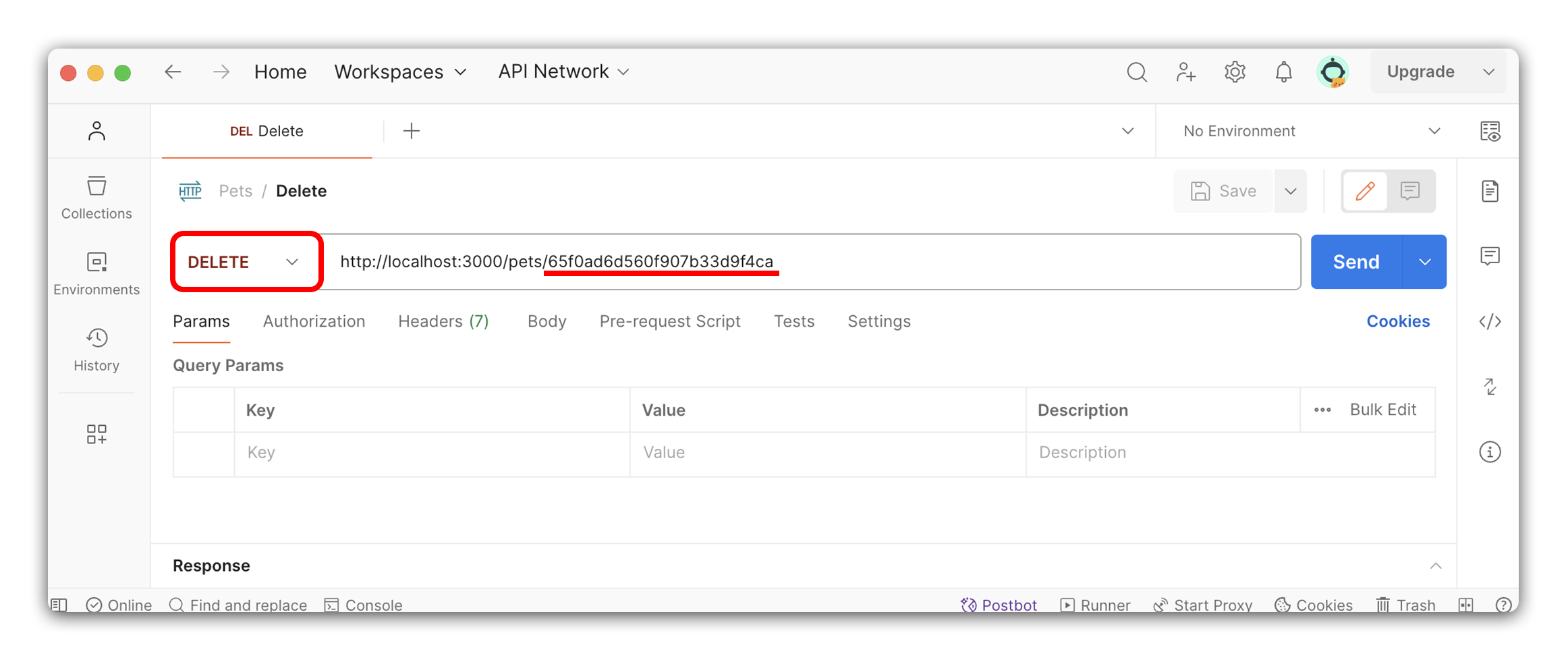
Open Postman and create a new request with the following details:
- Use the drop-down menu to select
DELETEas the method. - Enter the URL
http://localhost:3000/pets/<petId>in the address bar, where<petId>is a valid pet id that exists in your database. If you need to create some more pets, use theCreate Routewe built earlier to add them to the database. - Click the
Sendbutton to send the request.
Test for success
After you have sent the request, you should receive a status code of 200 with the deleted pet object in the response. This means the pet was successfully deleted from the database.
Test for errors
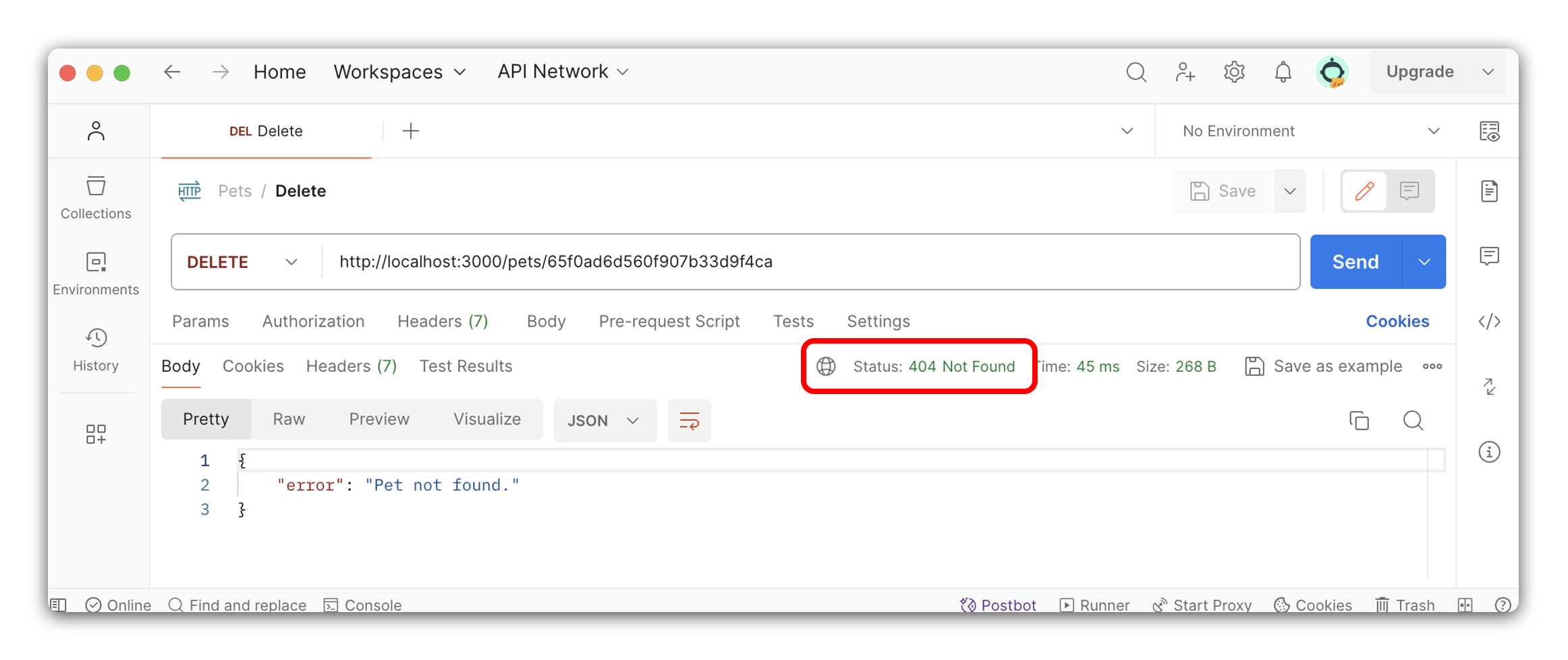
Let’s test for an error. Send another DELETE request to the route, but this time use an id that does not exist in the database. Since we have just deleted a pet, we can use the same request again without changing anything to test for our 404 status code and error message.
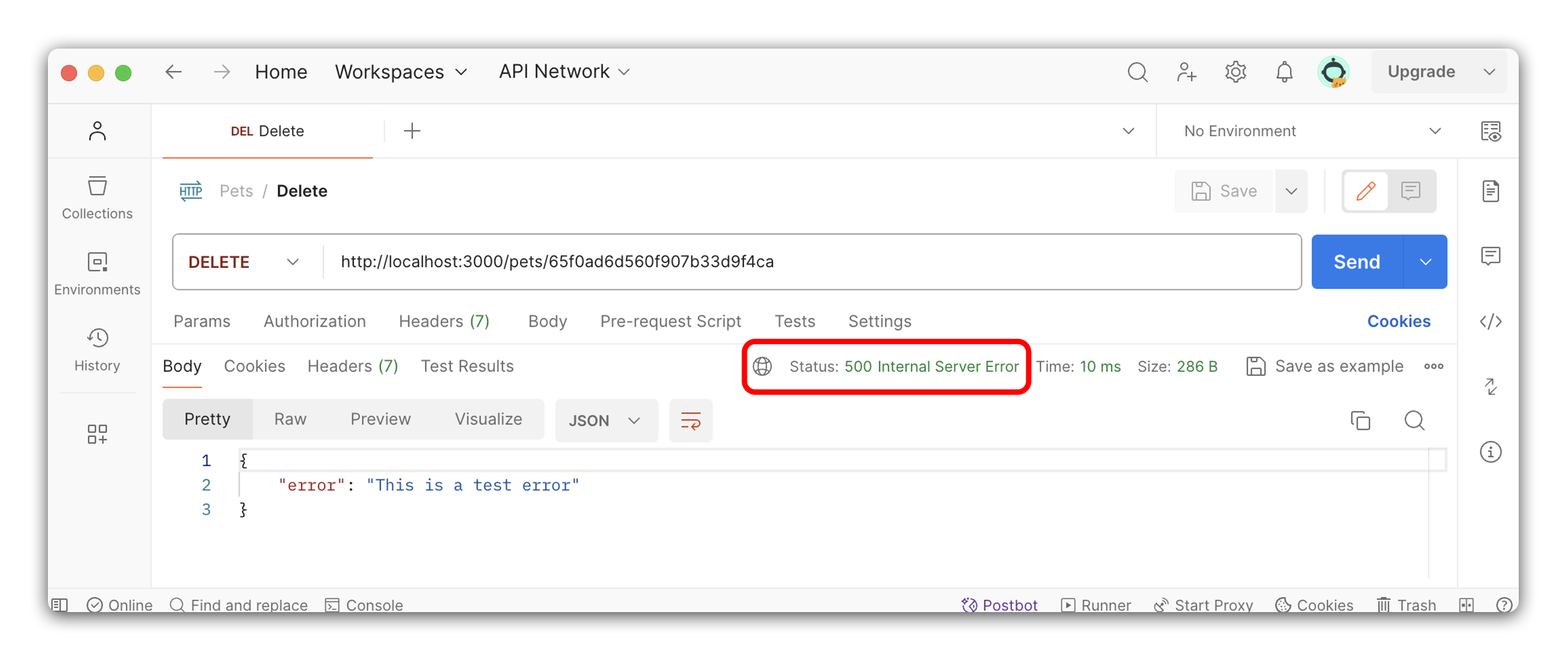
We can test the 500 status code by throwing a new error in the route. Let’s add a new line of code to throw a new error in the route and test the route again:
// controllers/pets.js

// DELETE - DELETE - /pets/:petId
router.delete('/:petId', async (req, res) => {
  try {
    throw new Error('This is a test error'); // Add this temporary code
    // Try block
  } catch (err) {
    // Catch block
  }
});
Send a DELETE request to the route, and you should receive a status code of 500 with an error message in the response.
If you encounter something different during the testing process, debug before moving on. Remember to remove the line of code that throws the error when you’re done with testing!