
Learning objective: By the end of this lesson, students will understand how to choose and implement fonts in web development, including the use of system fonts and importing fonts from Google Fonts.
System fonts
When choosing a font for our projects, we can use a pre-installed system font, a web-safe font, or import a font from a library like Google Fonts.
System fonts are a good option to use because they are guaranteed to be available on all users’ devices. By specifying this font name we guarantee we are using a font native to the operating system the user is viewing the site on.
To use a system font in CSS, we specify a special font name (system-ui) in the font-family property.
body {
  font-family: system-ui, sans-serif;
}
And here’s the result:
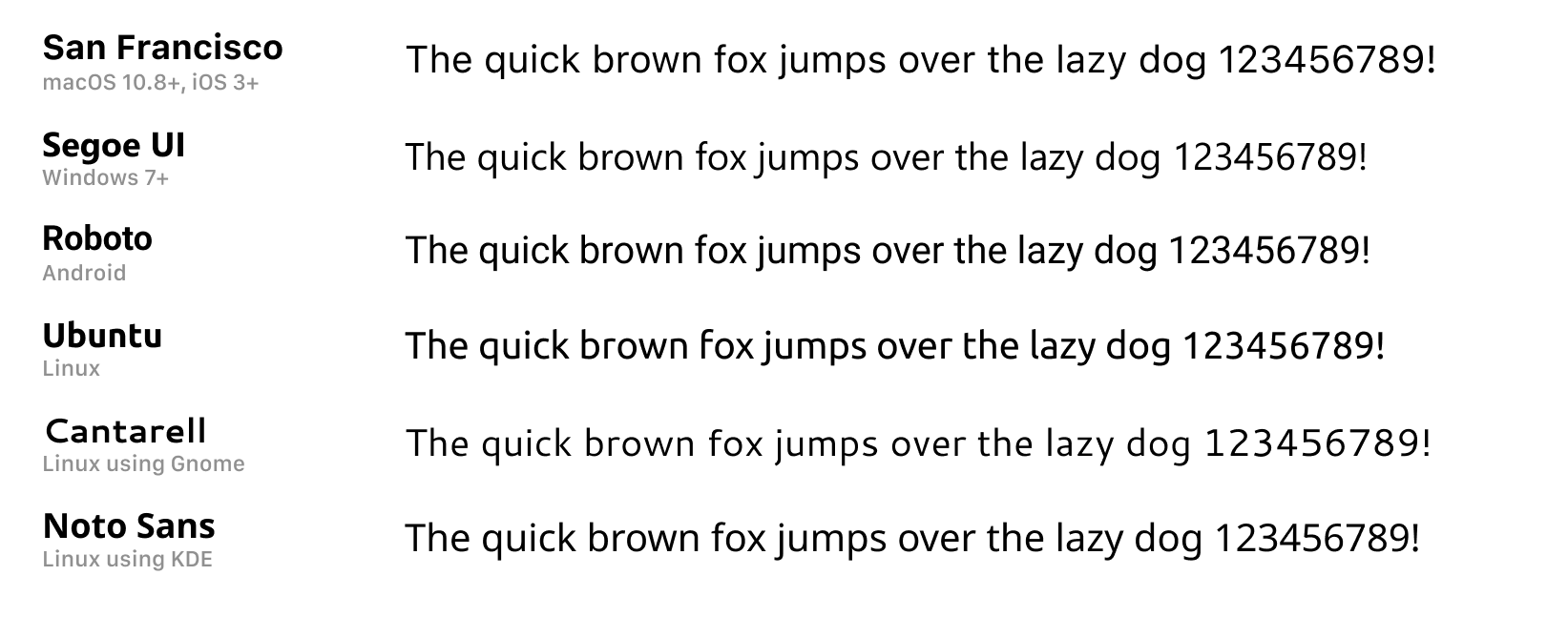
Image from system-fonts on GitHub.
By specifying a fallback font, such as sans-serif, we ensure that our text will still be readable even if the requested font isn’t available.
Google Fonts
Google Fonts are a great option if we want to use a font that is not pre-installed on the user’s device. Google Fonts are free to use and offer a wide variety of styles including serif, sans-serif, display, and handwriting fonts.
How to use Google Fonts (Updated Process)
- Go to https://fonts.google.com/.
- Browse or search for a font you like. Click on the font to open its detail page.
- Click the “Get font” button in the top right corner. This opens a panel with embedding options.
- Select the “Get embed code” option.
- Choose
@importunder the “Web” section tab. - Copy the
@importcode. It will look something like this:
When you choose the @import option from Google Fonts, the site will give you a block of code that looks like this:
<style>
@import url('https://fonts.googleapis.com/css2?family=Montserrat:wght@400;700&display=swap');
</style>
You do not need the <style> tags that wrap the @import line. Just copy the @import line by itself and paste it at the top of your CSS file, like this:
@import url('https://fonts.googleapis.com/css2?family=Montserrat:wght@400;700&display=swap');
- Paste this line at the very top of your CSS file — before any other styles.
@import url('https://fonts.googleapis.com/css2?family=Montserrat:wght@400;700&display=swap');

* {
  box-sizing: border-box;
}

body {
  font-family: Helvetica, Tahoma, Verdana, sans-serif;
}

h1 {
  text-align: center;
}
✅ If you add more fonts later, you will need to update this import line to include the new fonts.
Apply your new font
After importing the font, use the font-family property to apply it to your page. You can apply it to the whole page or to specific elements.
body {
  font-family: 'Montserrat', sans-serif;
}
Check out the Web-safe Fonts Level Up for more details on other fonts that are safe to use in web development.