Intro to HTML Structural Pitfalls
Learning objective: By the end of this lesson, students will be able to identify and correct common structural pitfalls in HTML to provide a deeper understanding of formatting to help avoid common errors.
Whitespace
Multiple spaces created using the spacebar, tab, and return keys are rendered as a single space character between elements and text.
<p>
  You might think there would be a lot of              space here.


  Or here.


  But there's not!
</p>
Here is the result of the above HTML:
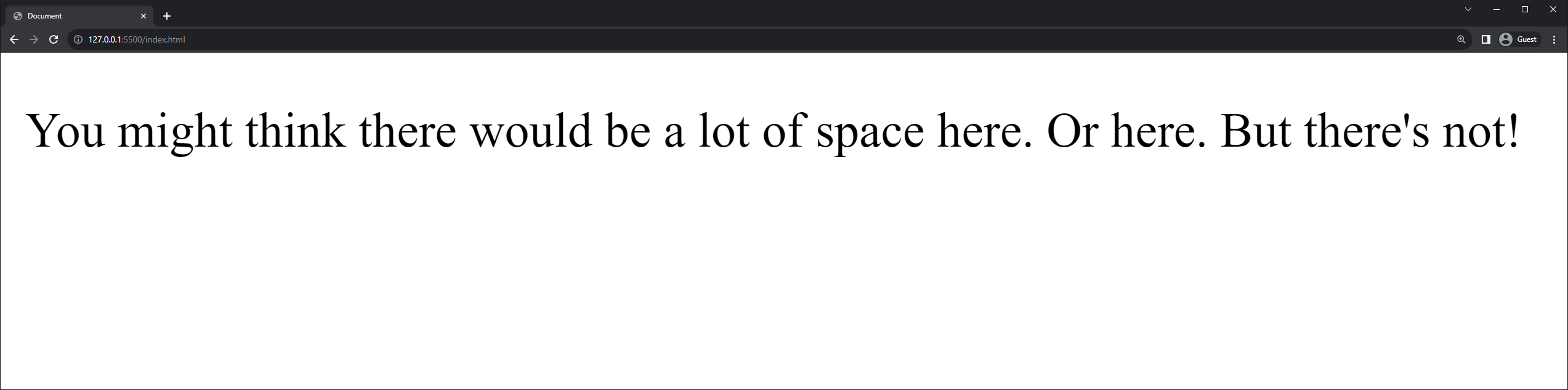
When you want space between text and elements you should typically create it using CSS. As an additional option you can use the (non-breaking space) HTML Entity or the <br> or break element.
Malformed HTML
Proper structure and nesting of elements are important because the browser won’t complain - it just won’t necessarily display what you expect. One of the possible mistakes is to “overlap” tags instead of nesting them. Here’s an example of malformed HTML:
<p>This is <strong>important text</p></strong>
Errors in complex HTML can be hard to find, so it’s not uncommon for Developers to use plugins or other tools to help them find errors. Here is a tool that finds errors in HTML that you provide.
⚠ Unlike JavaScript, our browsers will not complain if we make HTML or CSS mistakes. Instead, it just transparently does its best to correct our mistakes or fail.