Java Inheritance and Abstraction Lab Setup
Setup
Launch the IntelliJ IDEA application.
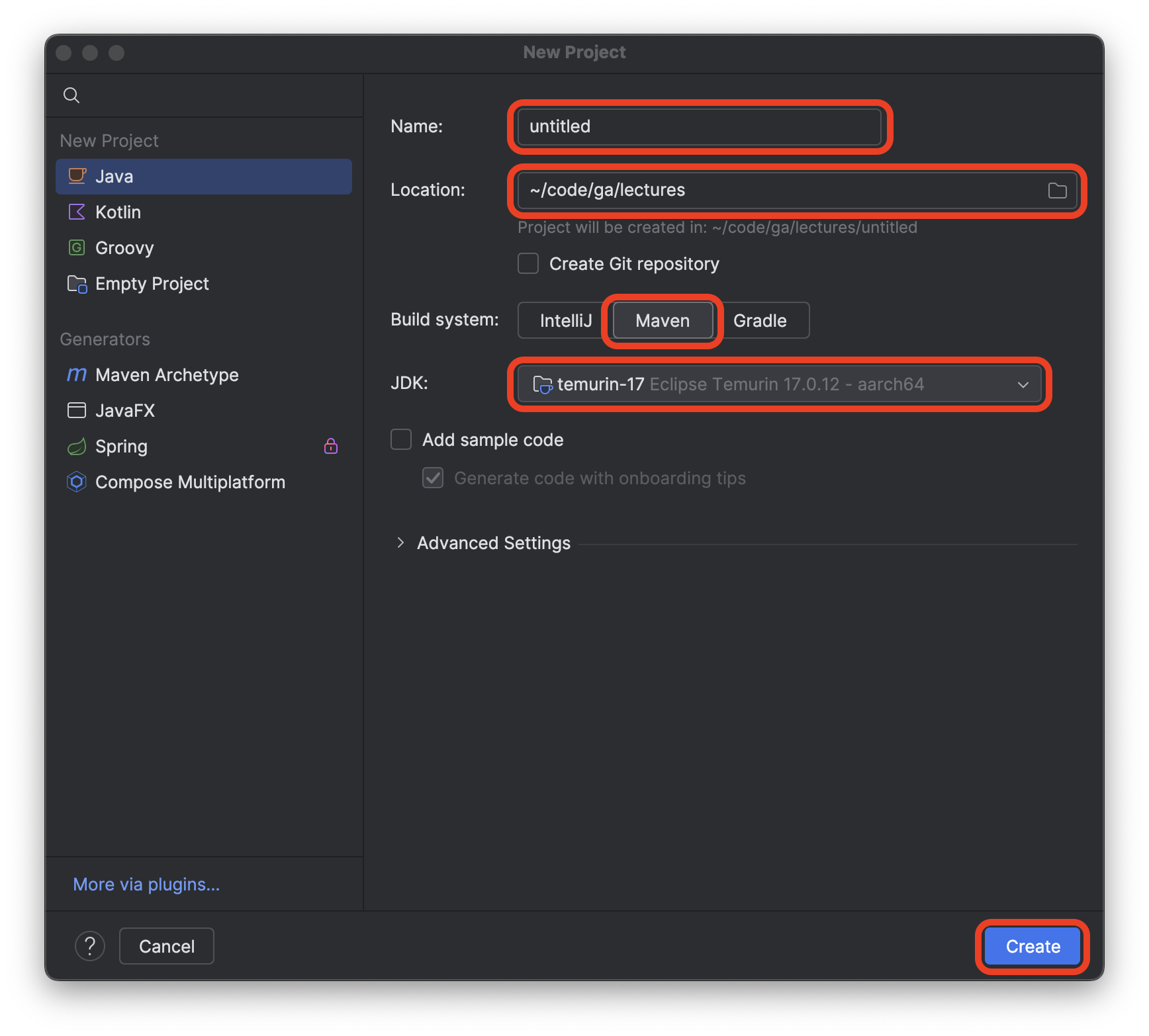
Select the New Project option.
Name the project java-design-patterns-lab.
Create the project in the ~/code/ga/labs directory.
⚠️ Windows users, the
labsdirectory is likely at this location on your device:C:\Users\username\code\ga\labs(replacingusernamewith your username). Create the project in that directory instead.
Choose the Maven build system option.
Ensure the JDK used is temurin-17. This should be the default setting when starting a new project. If it’s not, alert your instructor.
Ensure that the Add sample code option is not checked.
After confirming that the New Project window looks similar to the screenshot below, select the Create button. The name of the project should be java-design-patterns-lab, not untitled.
We can get to work now that our project is set up.