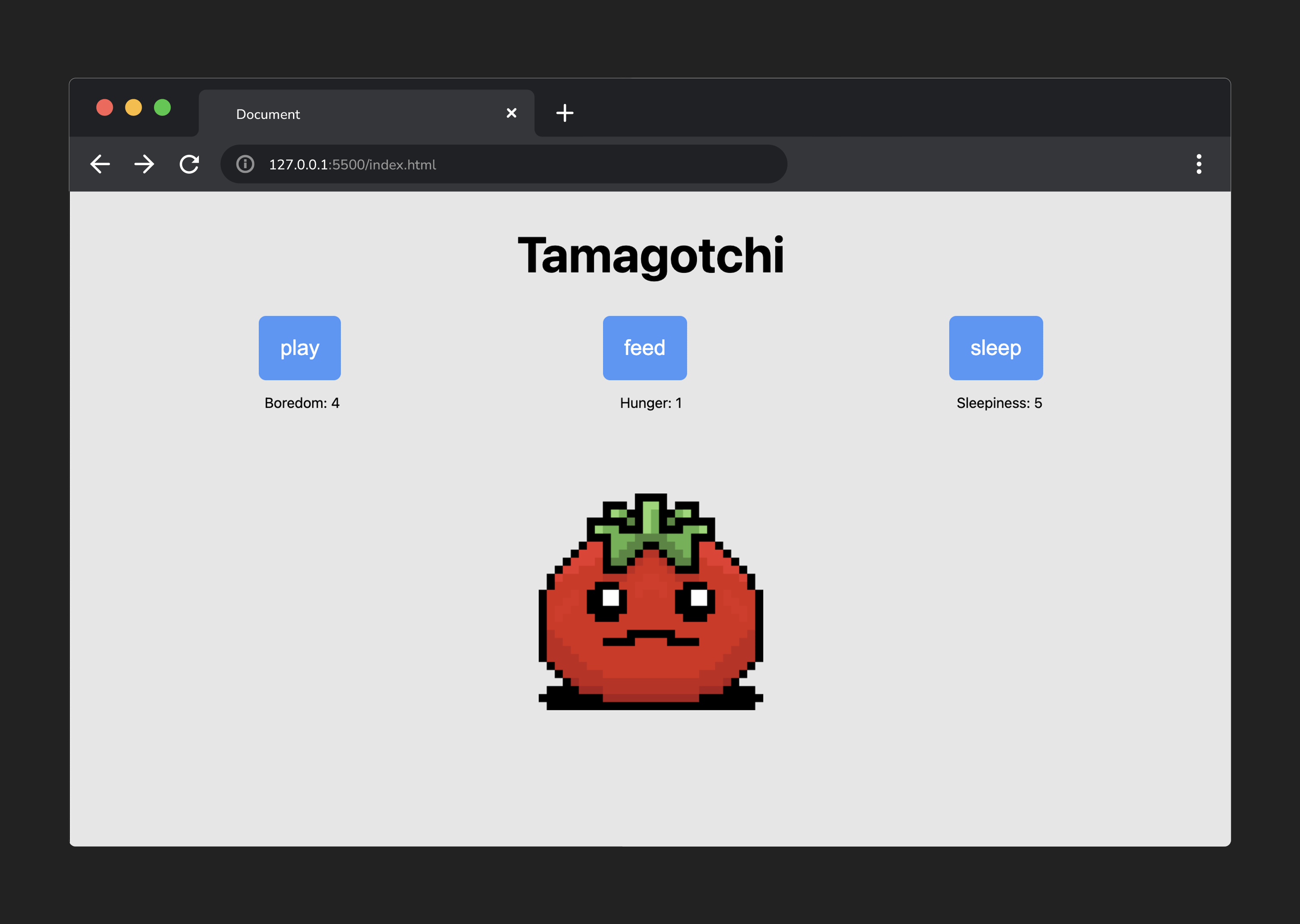
Tamagotchi Lab Exercise Parts 6-7
Step 6
Handle each instance of a player clicking a button with a handleClick() function
a. Make a function called playBtnClick.
b. Inside this new function, set state.boredom to 0.
c. Then, invoke render().
d. Next, attach an event listener to playBtnEl. When a user clicks, we want to invoke playBtnClick().
💡 Remember, we’re passing a function that we only want to call WHEN a click event is registered. As a result, we don’t call the function when we pass it as an argument.
e. Repeat steps a-d for the ‘feed’ and ‘sleepiness’ buttons.
🚀 As a Level Up, consider how we could make this process more DRY.
Test it out - as a user, you should now be able to keep your Tamagotchi happy!
Step 7
Create reset functionality
a. Add an event listener to resetBtnEl. When a click occurs, invoke init().
b. To the top of init(), add the ‘hidden’ class to resetBtnEl and gameMessageEl.
c. Set the value of each stat property in state to 0.
Congrats on coding a cool game of Tamagotchi! 🎉
Hopefully, you’re inspired to apply the process we followed today to code another game!