Tamagotchi Lab Exercise Intro
In this lab, you will build a Tamagotchi game incorporating the web technologies and techniques you’ve worked with thus far:
- HTML
- CSS
- JavaScript
- DOM Manipulation
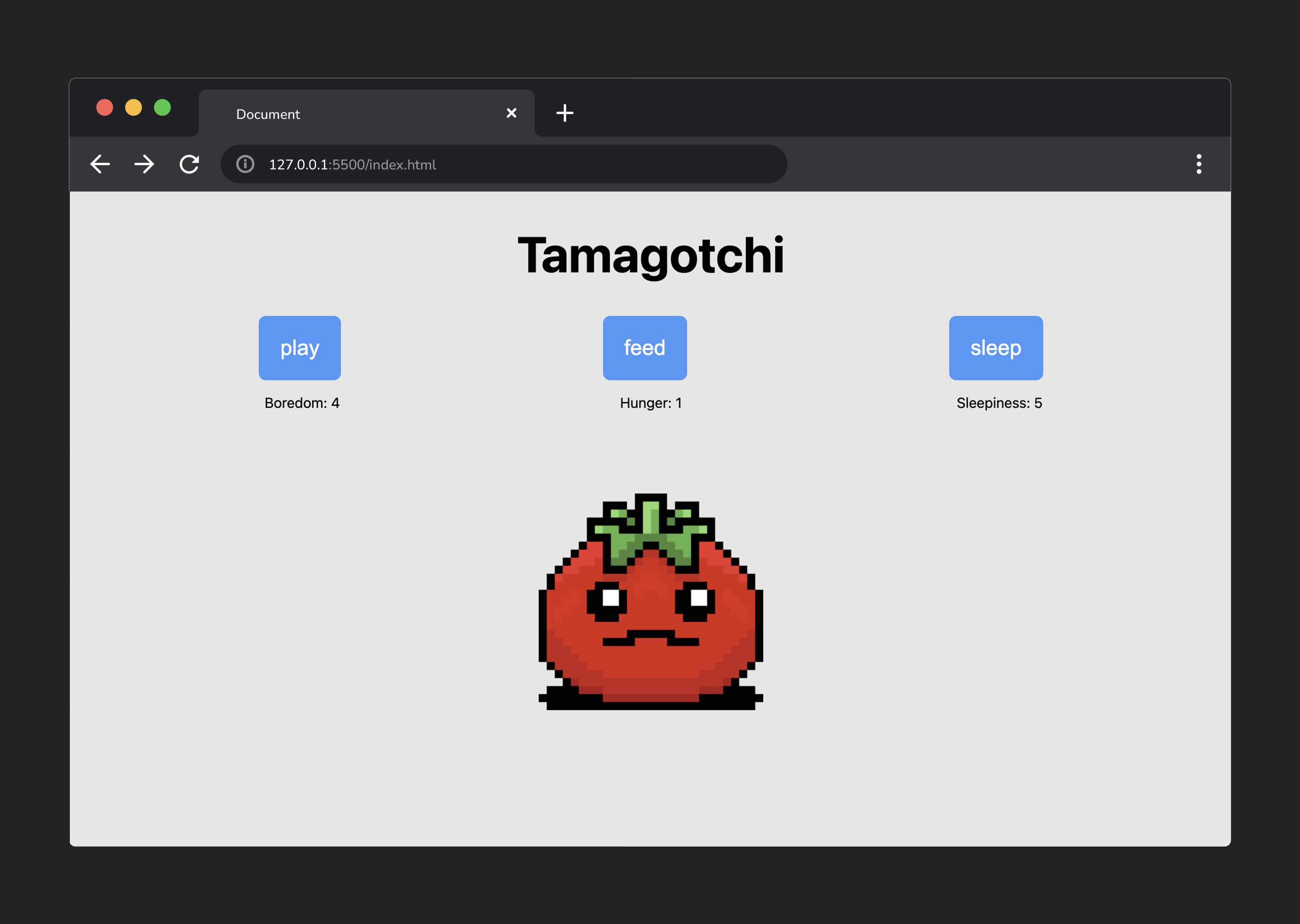
What is Tamagotchi?
Tamagotchi was a huge toy fad in the late ’90s and early 2000s - essentially, they were small pet simulators that entrusted the care of a digital creature to a player. We will be building a very paired-down game based on this premise. For our purposes, the game of Tamagotchi consists of the following:
- It’s a one-player game.
- The player is tasked with keeping a creature happy.
- Each creature a player ‘raises’ has three main statistics.
- The stats are:
- Boredom
- Hunger
- Sleepiness
- To keep the creature happy, a player must keep three stats within a given range - greater than 0 and less than 10.
Minimum Requirements
- Display three buttons when the page is initially displayed.
- Display three stats that randomly increment a value between 0 and 3 at a set interval.
- A player can click a button to set the corresponding stat to
0. - Include loss logic and display a message when the player has lost.
- Provide a
Play Againbutton that will reset the game.
Items of note
- Using
id/classattributes will help you target elements for styling and wiring up your click event listeners. These have already been added for you! - Programs, including games, frequently focus on manipulating and displaying data to a user. Decide on the data structures held in variables you will use to maintain the game’s state (its current data or status).
- Lots of little functions with small jobs help accomplish big things!
Pseudocode
Pseudocode is a detailed description of what an application must do, written in natural language instead of a particular programming language.
Well-written pseudocode should be easily translated into actual code. The best way to get started is to start with the big picture of what the app needs to do:
// 1) Define the required variables used to track the state of the game.

// 2) Store cached element references.

// 3) Upon loading, the game state should be initialized, and a function should
//    be called to render this game state.

// 4) The state of the game should be rendered to the user.

// 5) Handle the game over logic.

// 6) Handle each instance of a player clicking a button with the use of a
//    `handleClick()` function.

// 7) Create reset functionality.
Next, we can start expanding on these steps with detailed pseudocode.
The remainder of this exercise walks through those steps. Follow along from start to finish, and you’ll have a complete game of Tamagotchi that meets the minimum requirements!