Lifting State in React Concepts
Learning objective: By the end of this lesson, students will be able to describe how lifting state solves the issue of unidirectional data flow in React.
Data flow in React
React enforces a unidirectional data flow, where data travels in one direction down the component tree from parent to child. This structure simplifies state management and can make debugging more straightforward. However, this pattern presents a challenge when child components need to communicate changes back to their parent or siblings.
To illustrate, consider the following scenarios involving state in React:
-
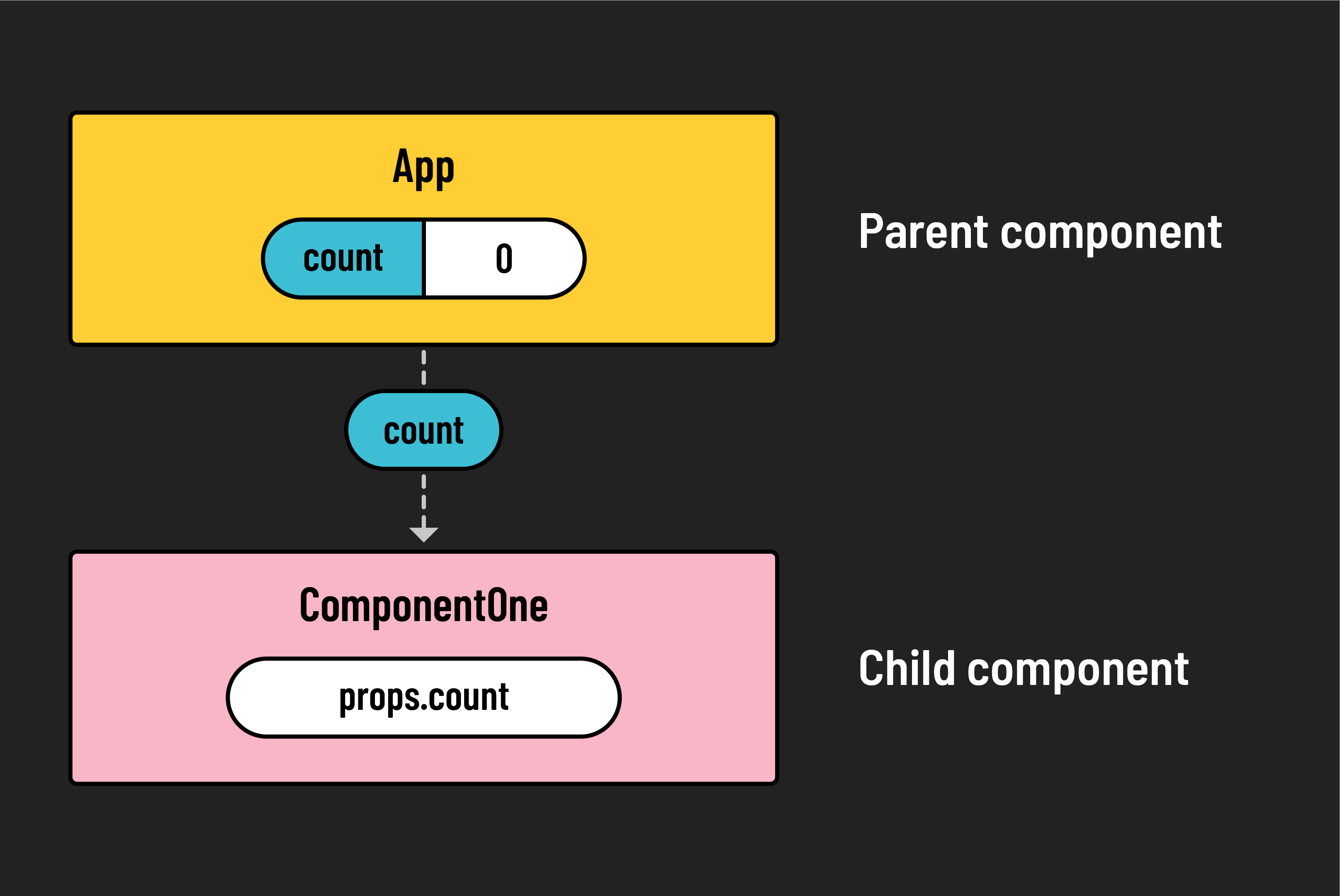
Passing state: State can be held in a parent and passed down to a child component through props.
-
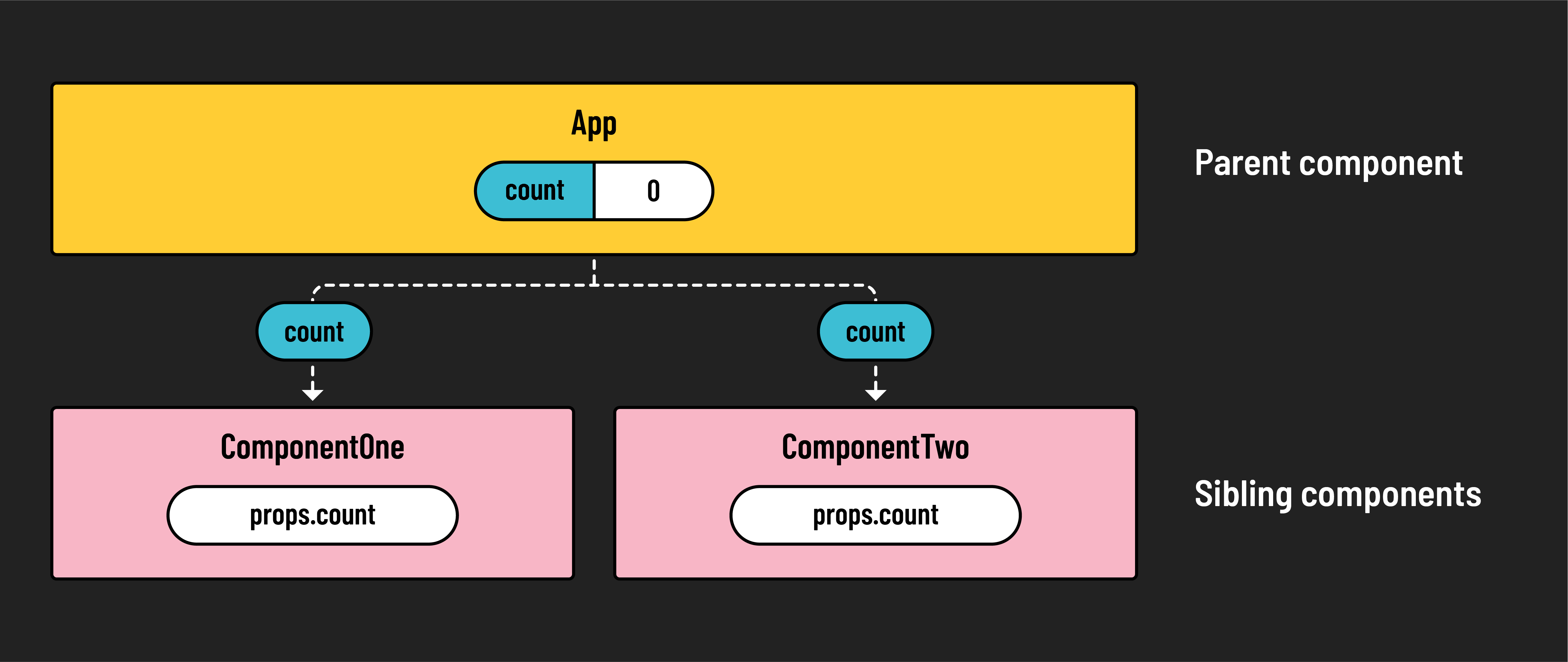
Shared state: State held in a common parent can be shared by multiple sibling components.
-
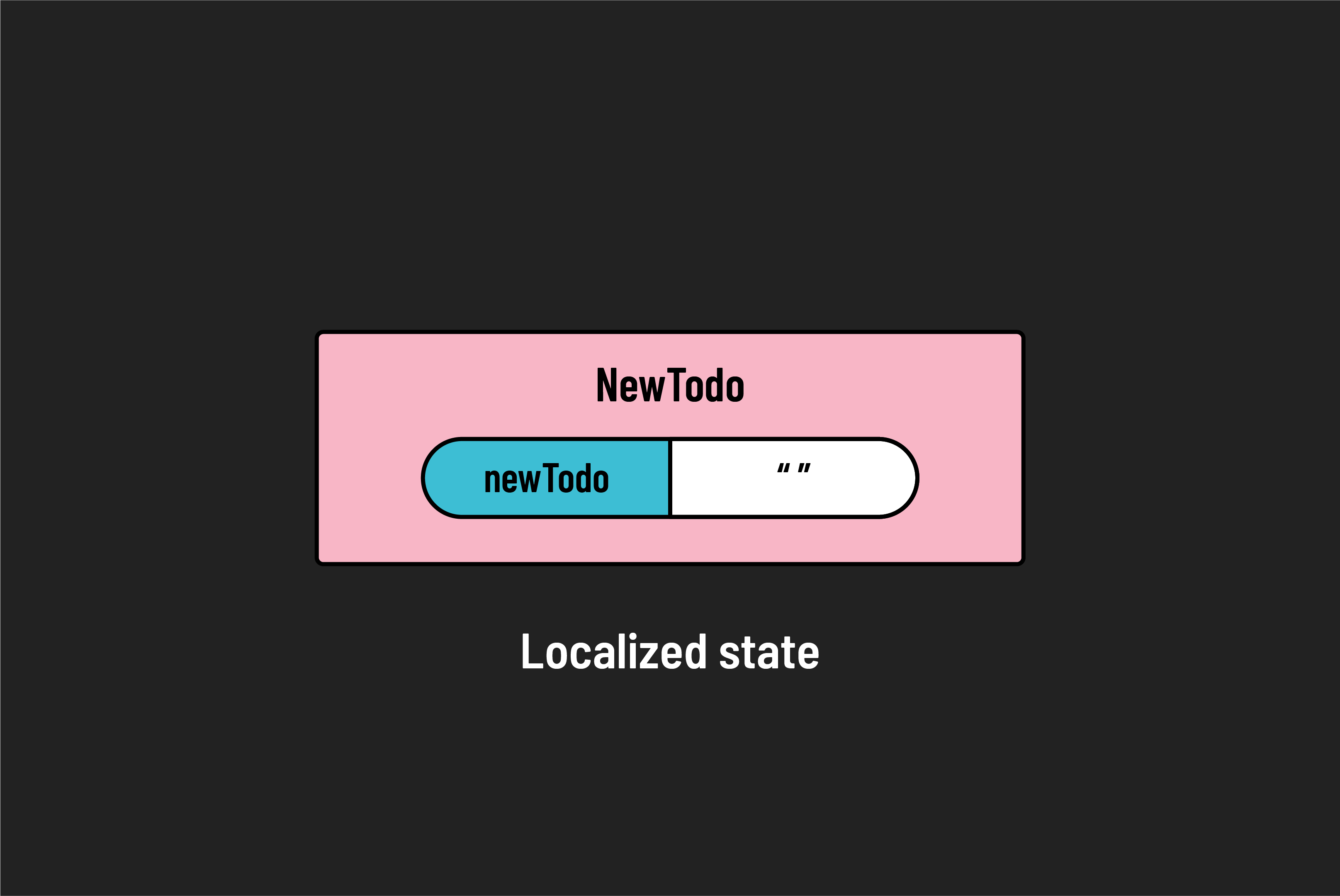
Localized state: A component can have its own localized state, updating in response to user inputs without affecting the broader app.
These scenarios all involve data flowing downward from a parent component to one or more children components or staying local to one component.
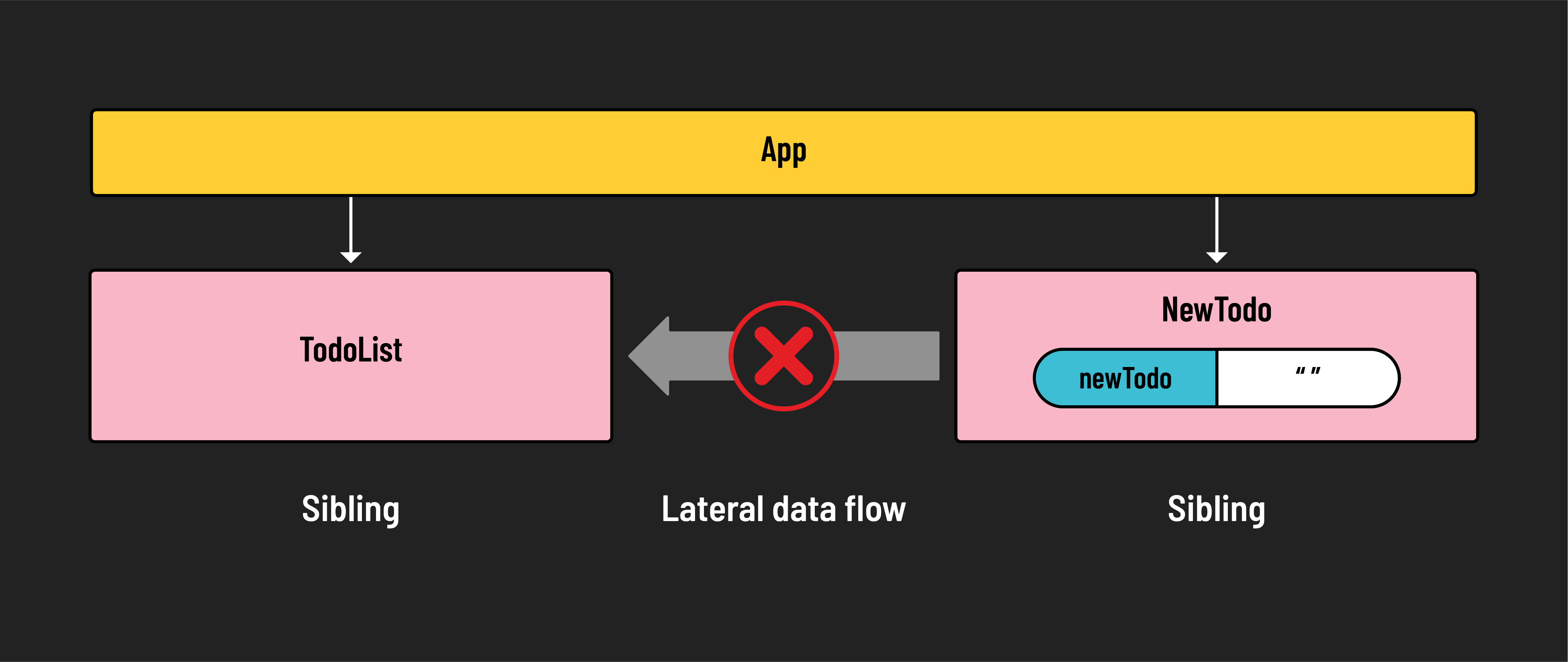
Consider a scenario where a child component needs to transfer its localized state to a sibling. A form component, for example, might submit data that needs to be displayed by a sibling list component. Here, we encounter the issue with unidirectional data flow, as React doesn’t allow for upward or lateral state changes.
This is where the concept of lifting state comes into play.
Lifting state
Lifting state is the practice of moving state up to a common ancestor of components that need access to that piece of state. It often involves passing a function down as a prop and using that function to update state.
By defining a state-updating function and passing it from the parent to the child, children can modify the parent’s state by calling upon the function. The change then cascades down to other components that share that state. This approach allows for the upward flow of information through the component hierarchy, effectively lifting the state.
Let’s see an example of this concept using a to-do app:
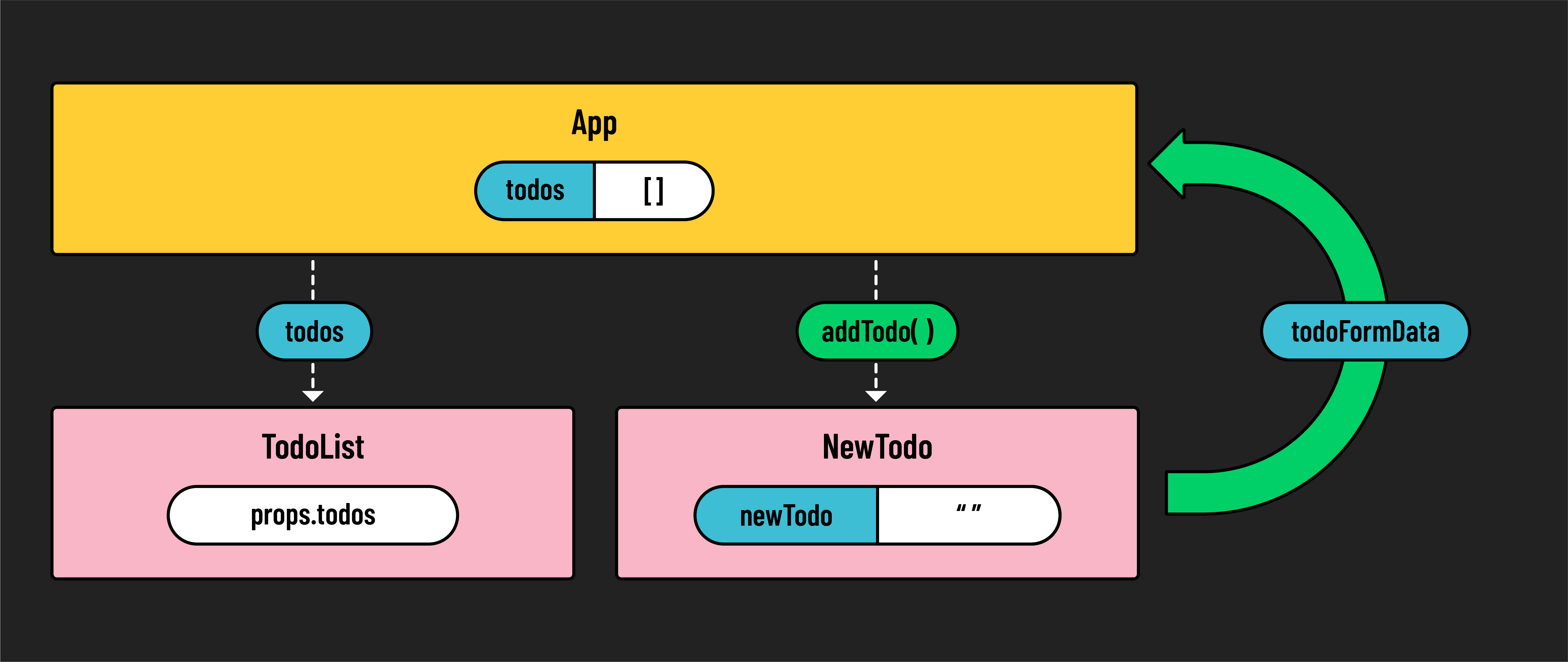
In our to-do app, the App component, which holds the state for todos, includes a TodoList for displaying to-dos and a NewTodo form for adding them. The addTodo function within App updates the state with new to-dos and is accessible inside NewTodo through props. When a to-do is submitted, NewTodo calls upon addTodo, updating the state held in App and triggering a rerender to reflect the changes in TodoList.
🏆 When designing an application and determining where to hold the state, consider where state needs to flow. What components are dependent on this state? What needs to receive and manipulate this data? These questions will guide you in determining the appropriate location for your application’s state.