React Components Reusing Components
Learning objective: By the end of this lesson, learners will be able to understand the basic concepts of component reuse in React.
Reusability in React
We’ve seen the modularity of React components. But there’s another impressive feature in React’s toolkit: reusability. Let’s explore how to reuse a single component for multiple items in a list.
The list of founders
Inside the <ul> in the App component, there are a series of founders - each with a name, title, and description. You might consider turning each founder’s details into a separate React component, but imagine the hassle of creating a distinct file for each founder, especially when the list might change or expand.
A more efficient approach is to create a single flexible and reusable React component that can represent any founder in the list. Picture it as a template that shapes itself according to the data it receives.
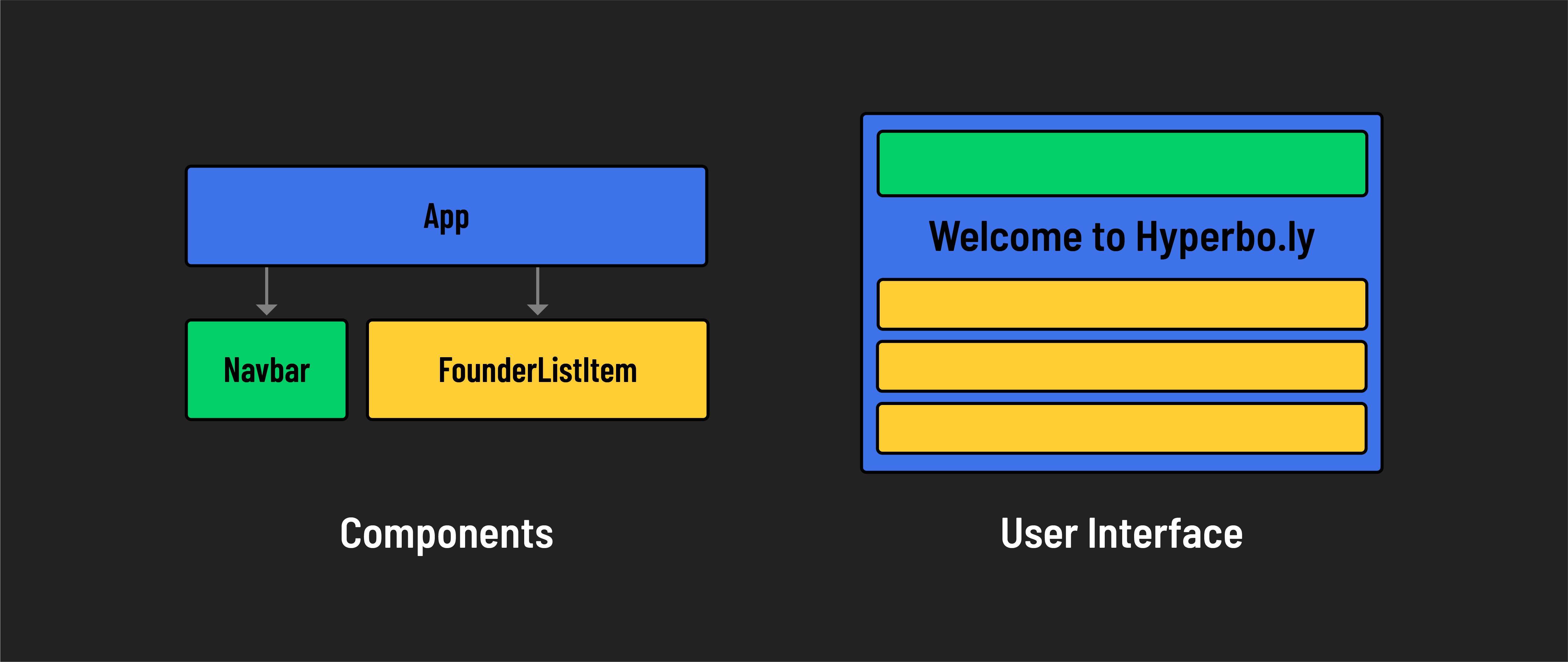
Reusing the FounderListItem component
Imagine if we want to pass information about each founder from our main App component to a FounderListItem component. We would use props to send each founder’s details down the component tree.
So, in our case, each FounderListItem would receive its own set of props (like name and title) from the App component. Each instance of the FounderListItem component can only use the props it received to render the founder’s details as specified.
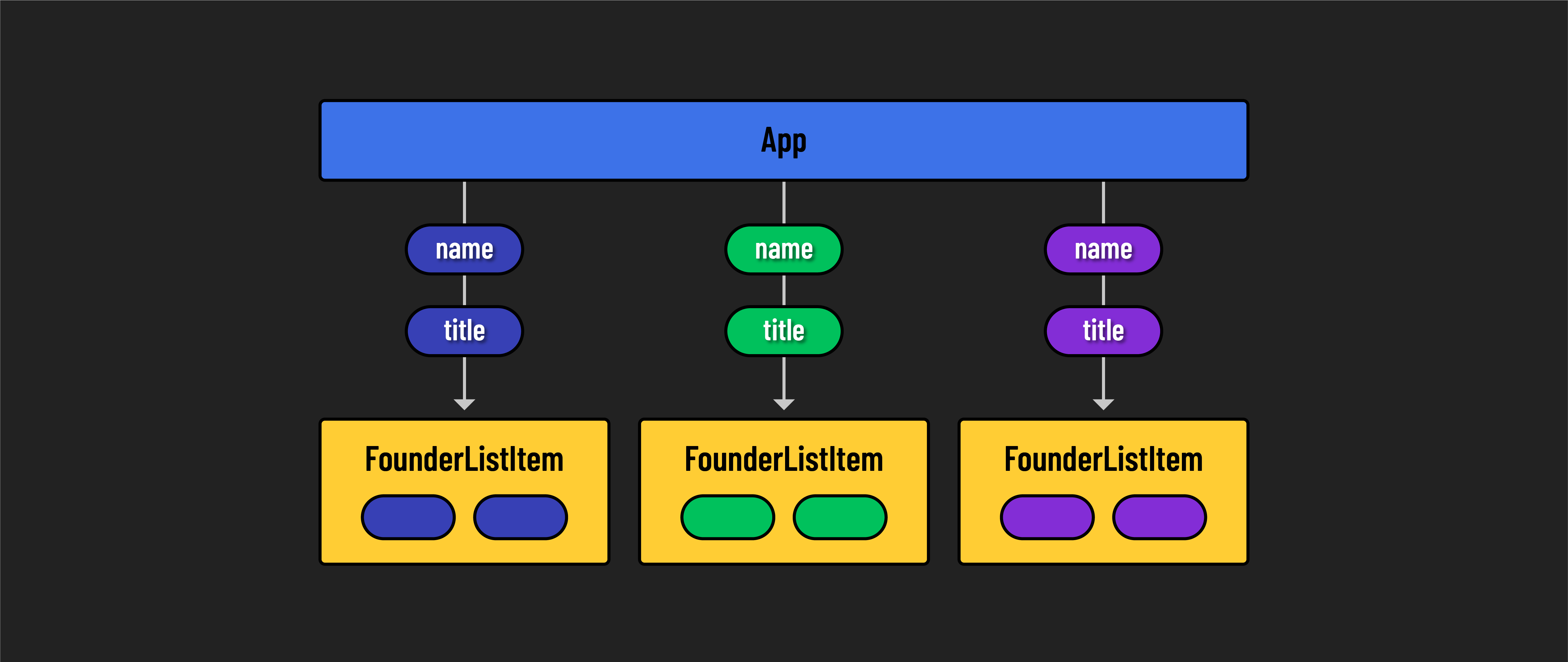
Replace the last two list items in the JSX with the existing FounderListItem component.
// src/App.jsx

const App = () => {
  return (
    <>
      <Navbar />
      <main>
        <h1>Welcome to Hyperbo.ly</h1>
        <h2>The future is firmly in front of us!</h2>
        <p>If you can't explain it to a fifth-grader, our product does it.</p>
      </main>
      <h2>Our Founders</h2>
      <ul>
        <FounderListItem name="Elizabeth Holmes" title="CEO"/>
        <FounderListItem />
        <FounderListItem />
      </ul>
    </>
  );
};
Notice how modular our App component markup is starting to look!
If you go to this page in the browser now, you’ll see the following:
- Hello, I’m Elizabeth Holmes, the CEO!
- Hello, I’m , the !
- Hello, I’m , the !
The functionality of the FounderListItem component depends upon the data being passed to it. Without the necessary data, the component can’t do its job.
🎓 You Do
Pass data to the second and third FounderListItem components so that they display the correct information.
The second list item should output: Hello, I’m Sam Bankman-Fried, the CFO!
The third list item should output: Hello, I’m Matt Damon, the CMO!