RESTful Routing Routing for Referenced Resources
Routing for Referenced Resources (One:Many and Many:Many Relationships)
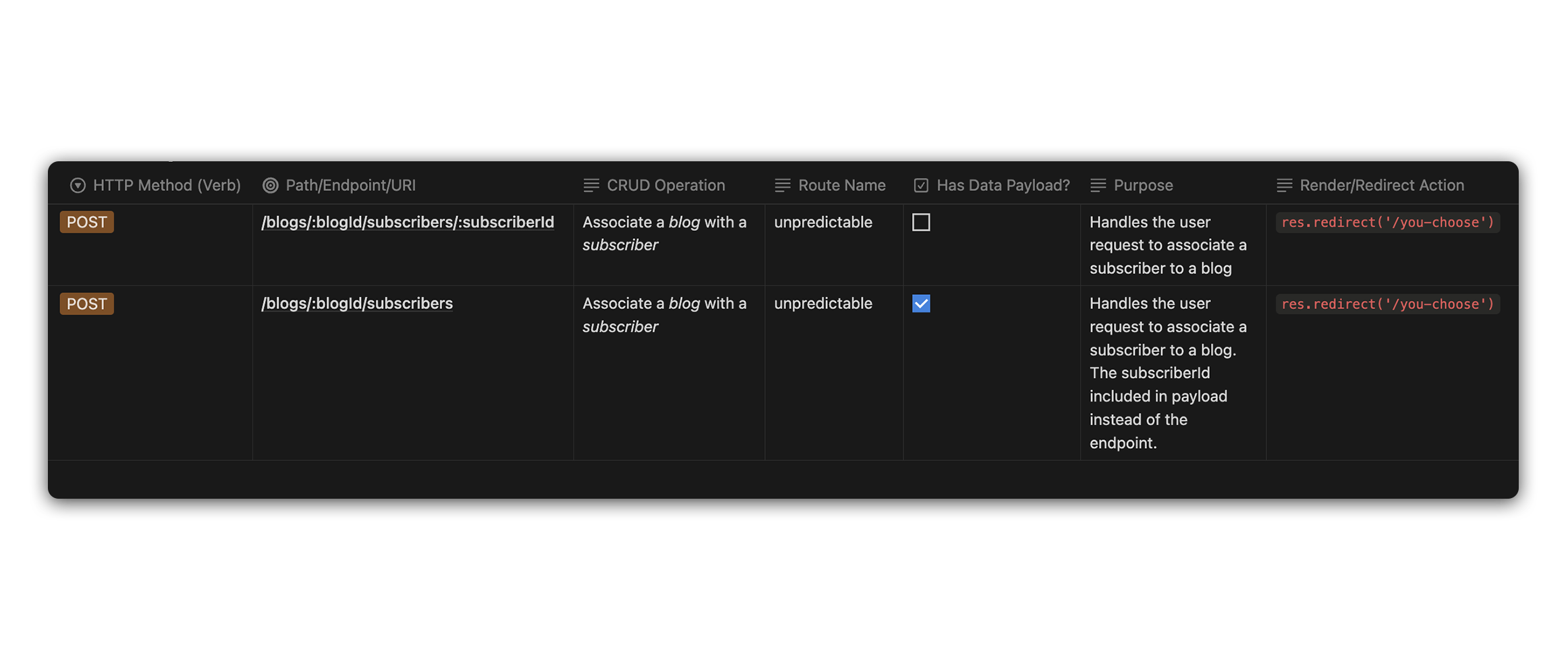
Below is a table demonstrating typical RESTful routing that you may experience when working with Referenced Resources.
You may want to associate a blog with a subcriber. This would modify the
Subscriberresource instead of theBlogresource. If this is the case, reverse the path above so that it begins with/subscribers/:subscriberId/blogs
If a route is marked as having a data payload, it means there is data that will be sent from the client to the server with the request.
Here is a more accessible code version of the same chart:
| HTTP Method (Verb) | Path/Endpoint/URI                        | CRUD Operation                          | Route Name    | Has Data Payload? | Purpose                                                                                                                         | Render/Redirect Action        |
| ------------------ | ---------------------------------------- | --------------------------------------- | ------------- | ----------------- | ------------------------------------------------------------------------------------------------------------------------------- | ----------------------------- |
| POST               | /blogs/:blogId/subscribers/:subscriberId | Associate a _blog_ with a _subscriber_  | unpredictable | No                | Handles the user request to associate a subscriber to a blog                                                                    | `res.redirect('/you-choose')` |
| POST               | /blogs/:blogId/subscribers               | Associate a _blog_ with a _subscriber_  | unpredictable | Yes               | Handles the user request to associate a subscriber to a blog. The id of subscriber included in payload instead of the endpoint. | `res.redirect('/you-choose')` |
It’s important to note that many apps can implement full CRUD on embedded resources without using all of the above routes. Often, embedded resources will be shown alongside their parent resource. For example, the comments on a blog might be shown on the blog show page, so there wouldn’t be a need for a comment index view. Comments might also not have an individual show view, so there might not be a need for a comment show page. The form to create a new comment may not need a dedicated view, so there may not be a new comment view. Your implementation of these features will depend on your vision for the functionality of your applications.