
GitHub deprecated the use of password authentication via the command line in 2021, as detailed in this GitHub blog post. This means we must authenticate using GitHub’s preferred authentication method: personal access tokens.
To create a personal access token, visit https://github.com and ensure you are signed in. Also, ensure that you have verified your email address with GitHub. After doing so, navigate to https://github.com/settings/tokens.
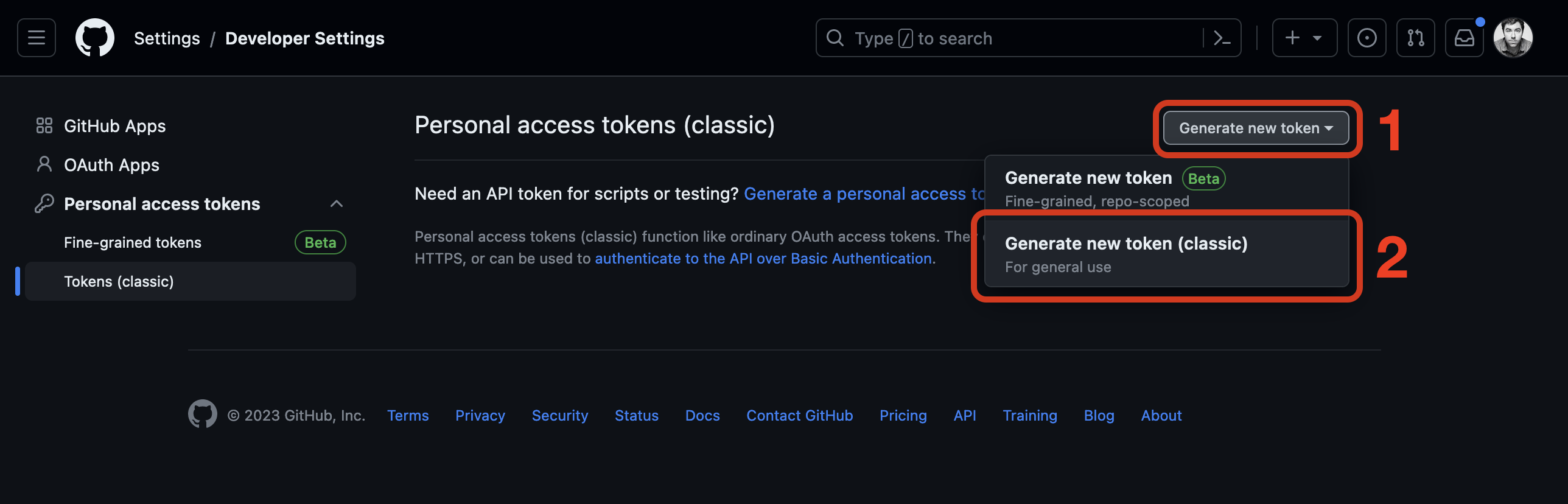
On the Personal access tokens (classic) page, click Generate new token and then Generate new token (classic) as shown below.
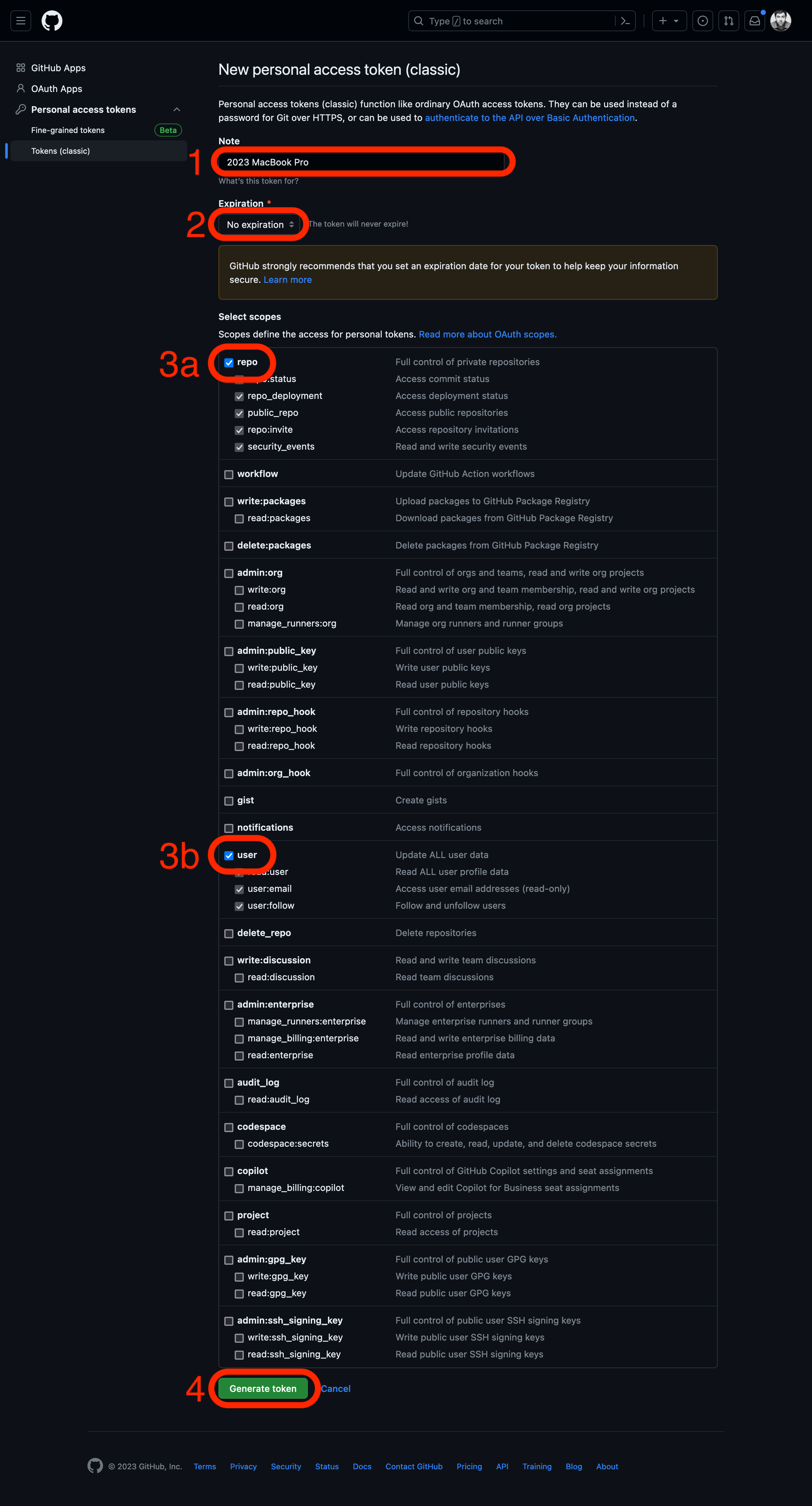
You will be taken to a page prompting you to create a New personal access token (classic). Provide these details:
- Fill the Note field with a descriptive name of the device you are using the token with (we’ve used the name 2023 MacBook Pro in the screenshot below, but you should use a name matching your own device).
- Change the default expiration date. If you set an expiration date, we recommend setting a custom expiration date for one year from today’s date (the maximum time allowed), but you may choose to set it to never expire.
- Select the repo and user scopes. You’ll note that when you select these scopes, all of their sub-scopes are also selected - ensure your selections match what is in the screenshot below. When you have done so, click the Generate token button.
You will be taken back to the Personal access tokens page, and the token you just created will be visible:
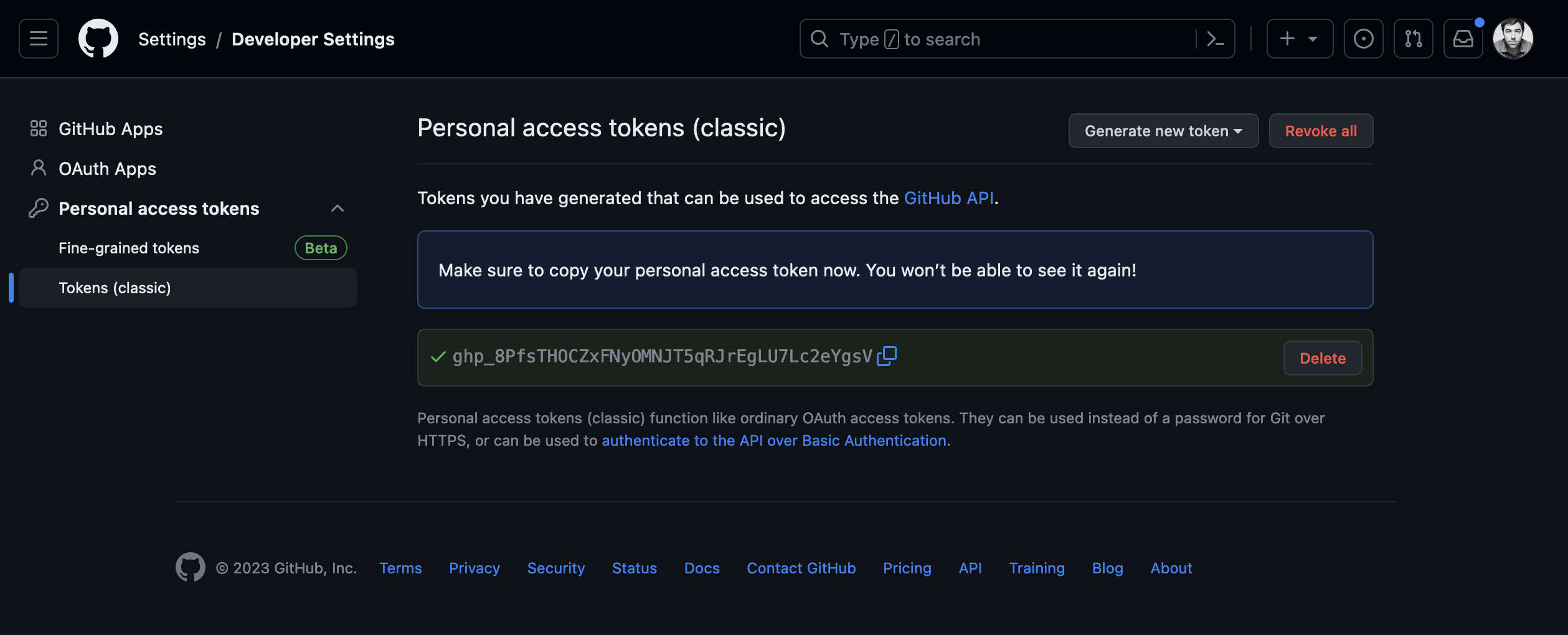
Click the copy button to copy the newly created token.
You will only see the token on this page ONCE. You MUST copy it now and paste it in a secure and private place where you can easily access it later when you need it. Treat this token as you would a password! The token will be used in place of a password to interact with GitHub on the command line!
Using multiple machines? It is best practice to create a new token for each device requiring command-line access to GitHub. This way, if you need to revoke access to any single device, none of your other devices are impacted.
Place the token in a secure place! The next time you interact with GitHub on the command line, you will be asked to provide a username and password. Use this token in place of a password.